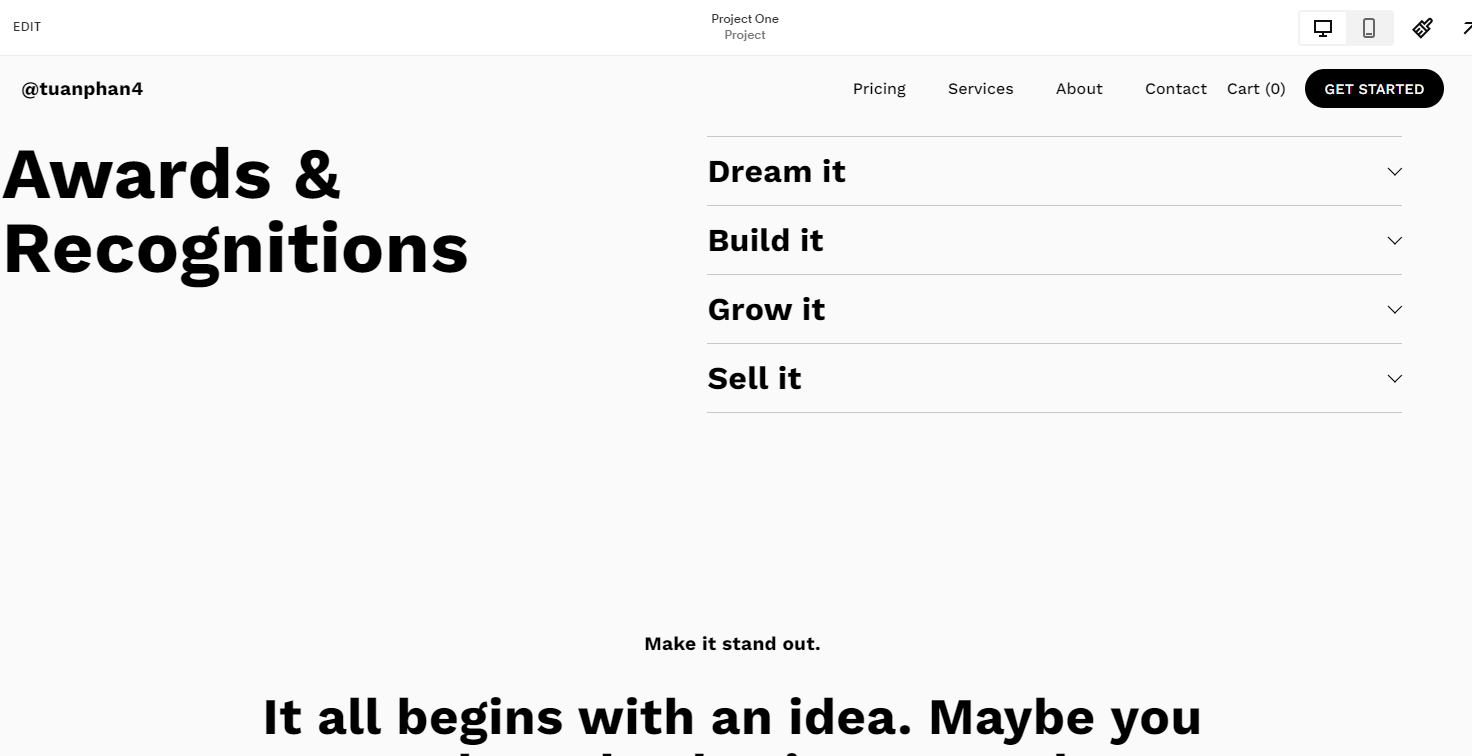
By default, you can edit each portfolio page and add a section to the top, but if you need to add the same section to the top of all pages, you can follow these steps:
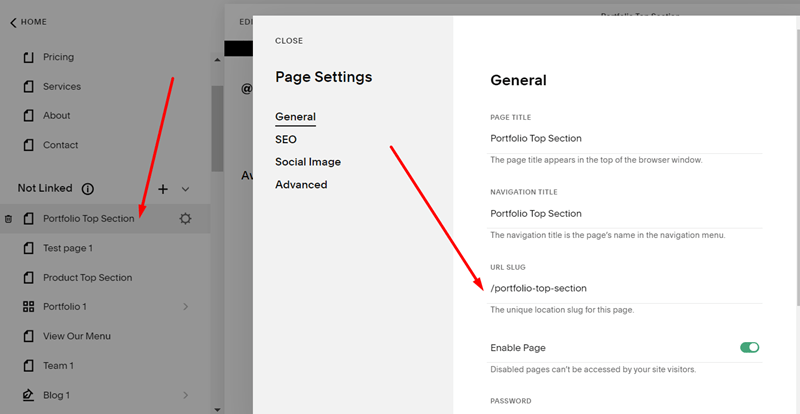
#1. First, you add a Blank Page in Not Linked with Name/URL:
- Name: Portfolio Top Section
- URL: /portfolio-top-section
Next, design the page layout to what you want, here is an example.

#2. Install this plugin
The plugin will give you some code to add to the Code Injection Header and footer, like this.
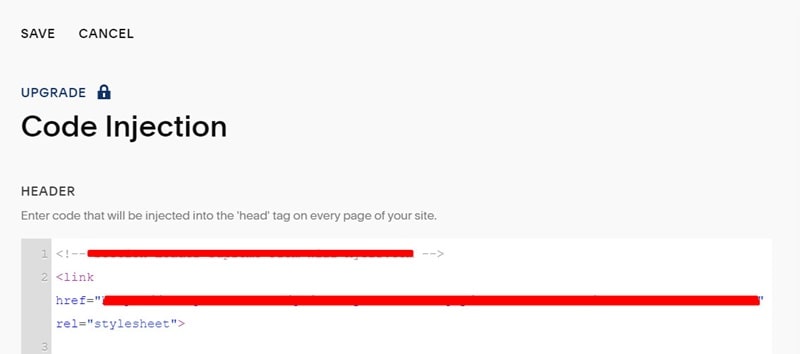
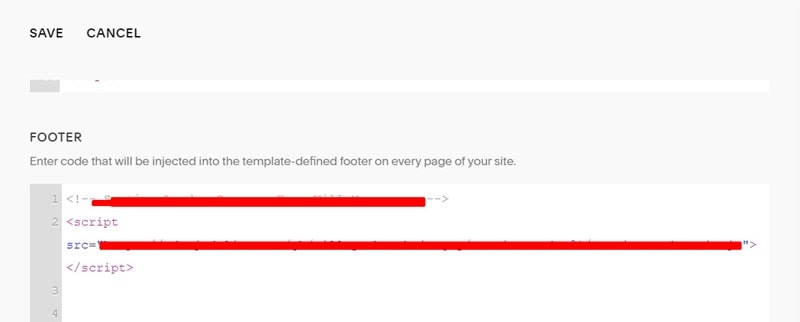
#3. Add this code to the Portfolio Page Header Code Injection
<div data-wm-plugin="load" data-target="/portfolio-top-section"></div>
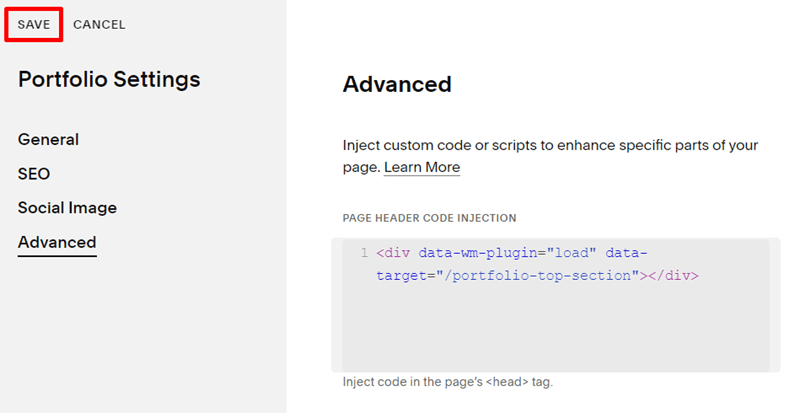
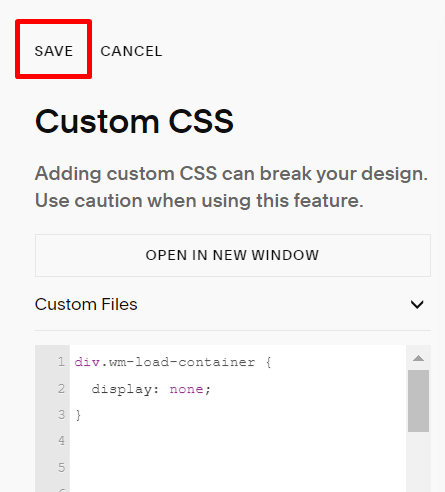
#4. Add this code to the Custom CSS box
div.wm-load-container {
  display: none;
}
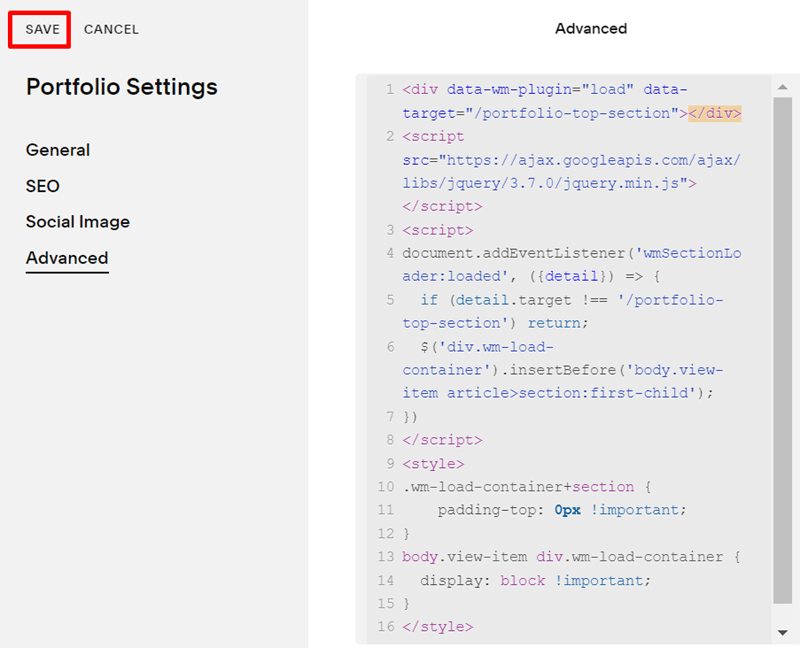
#5. Add this code to the Portfolio Page Header Code Injection
<script src="https://ajax.googleapis.com/ajax/libs/jquery/3.7.0/jquery.min.js"></script>
<script>
document.addEventListener('wmSectionLoader:loaded', ({detail}) => {
  if (detail.target !== '/portfolio-top-section') return;
  $('div.wm-load-container').insertBefore('body.view-item article>section:first-child');
})
</script>
<style>
.wm-load-container+section {
    padding-top: 0px !important;
}
body.view-item div.wm-load-container {
  display: block !important;
}
</style>
Result