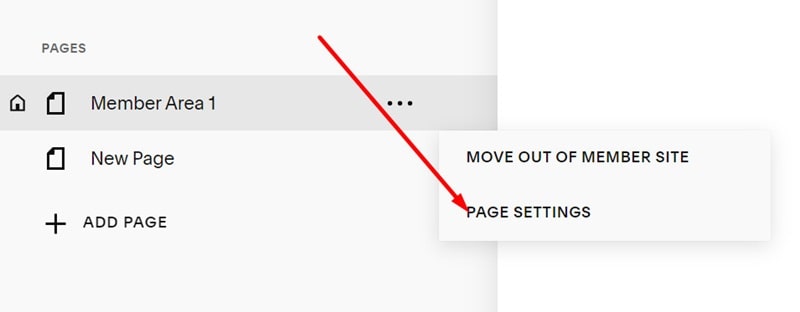
#1. First, hover on all pages in Member Area > Click 3 dots (…) icon > Page Settings
#2. Click Advanced > Use this CSS code
<style>
  a.btn {
  display: none !important;
  }
</style>
#1. First, hover on all pages in Member Area > Click 3 dots (…) icon > Page Settings
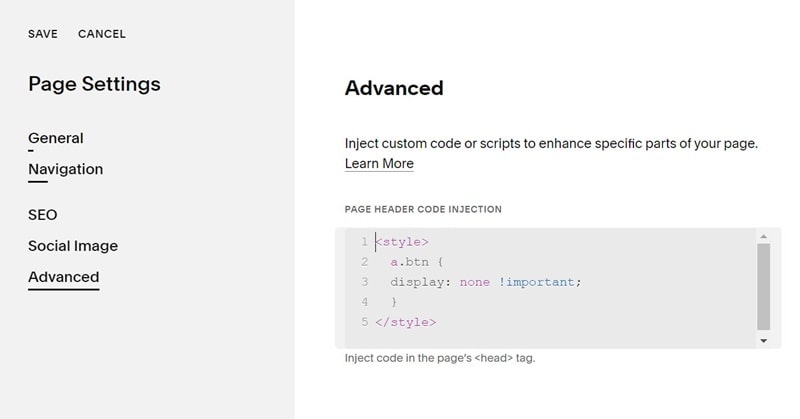
#2. Click Advanced > Use this CSS code
<style>
a.btn {
display: none !important;
}
</style>