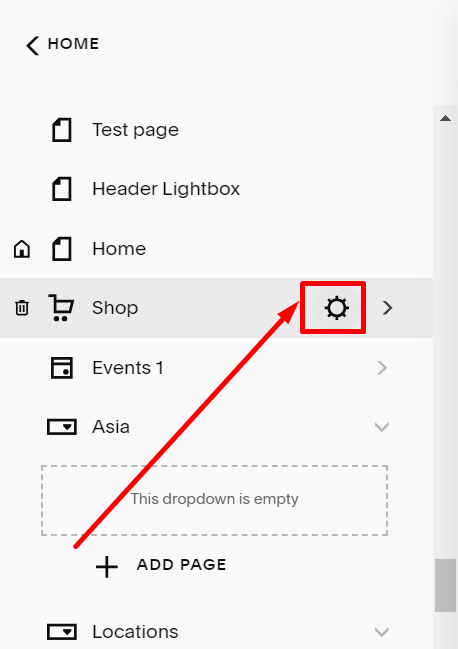
#1. First, hover on the shop page you want to Enable Quick View, and click on the Gear icon
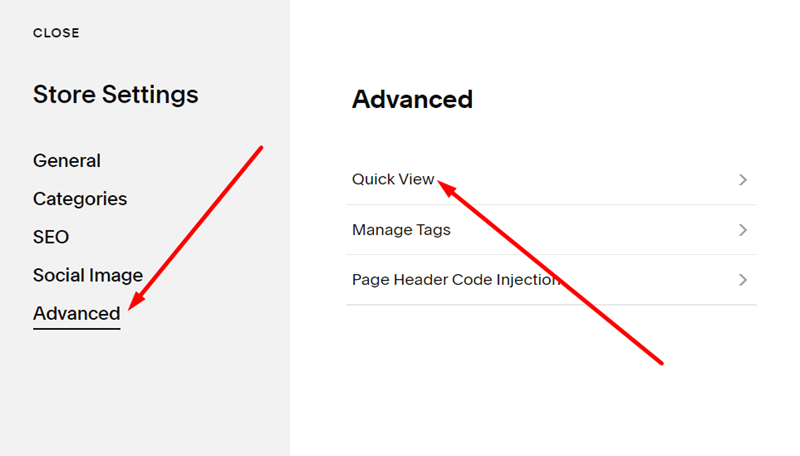
#2. Next, you choose Advanced and then choose Quick View
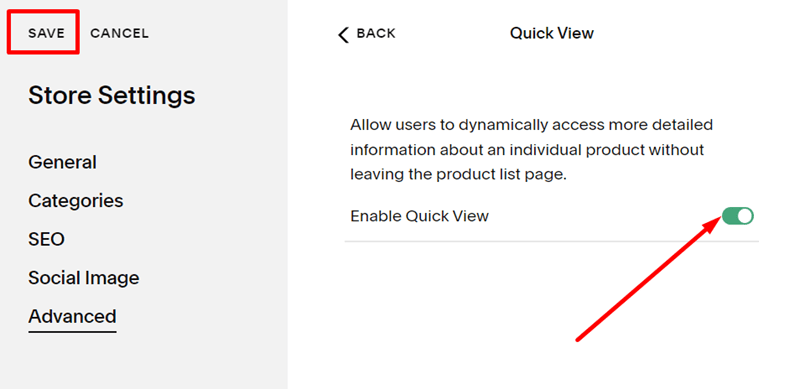
#3. Click on the Enable Quick View option to enable/disable Quick View
#1. First, hover on the shop page you want to Enable Quick View, and click on the Gear icon
#2. Next, you choose Advanced and then choose Quick View
#3. Click on the Enable Quick View option to enable/disable Quick View