#1. First, you create a Page in Not Linked with Name/URL
- Custom Content – /custom-content
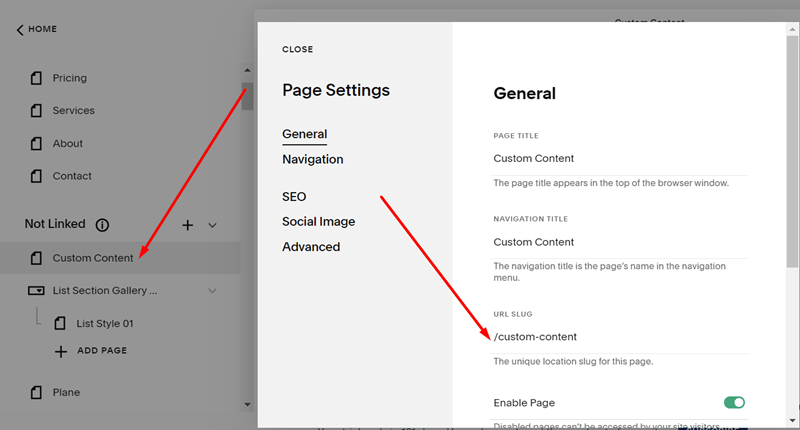
and design layout for this page
Here I added a List Section (with some CSS code to make the style beautiful)

#2. Install this plugin
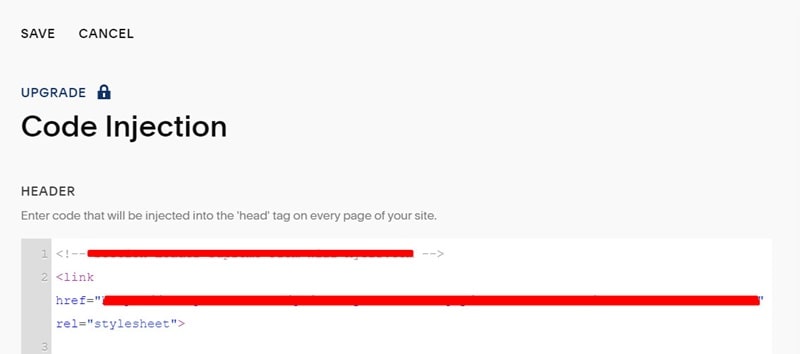
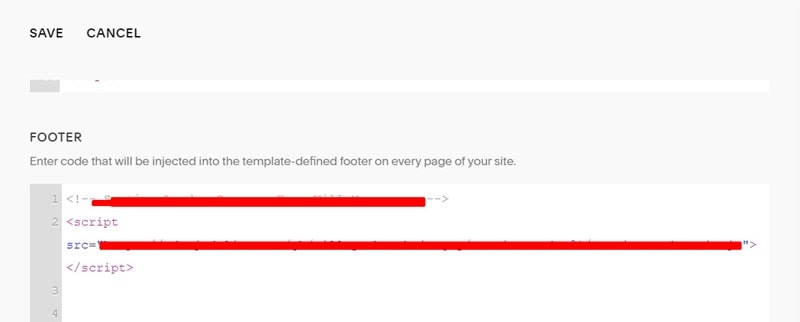
The plugin will give you some code to add to the Code Injection Header and footer, like this.
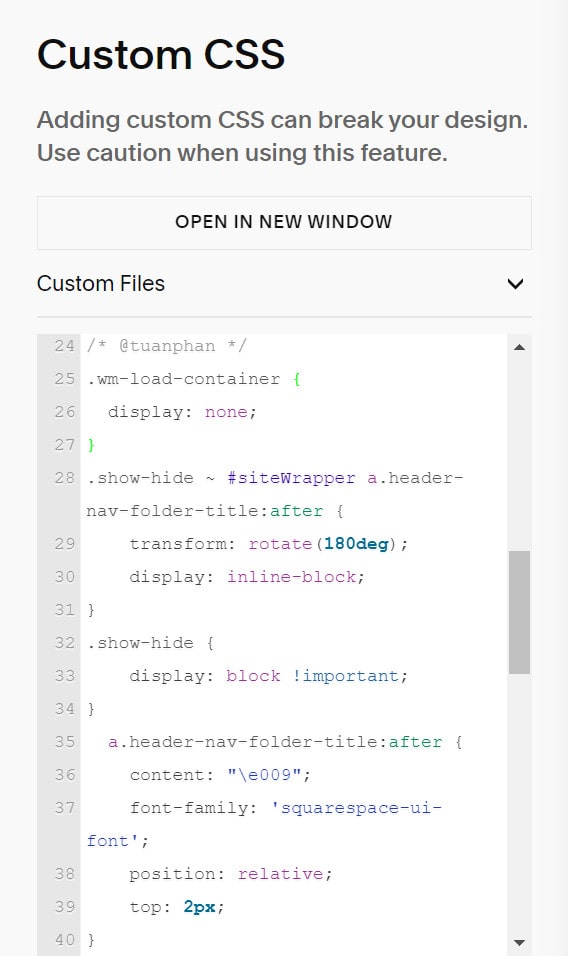
#3. Use this code to Custom CSS box
/* @tuanphan */
.wm-load-container {
  display: none;
}
.show-hide ~ #siteWrapper a.header-nav-folder-title:after {
    transform: rotate(180deg);
    display: inline-block;
}
.show-hide {
    display: block !important;
}
  a.header-nav-folder-title:after {
    content: "\e009";
    font-family: 'squarespace-ui-font';
    position: relative;
    top: 2px;
}
#4. Use this code to Code Injection – Header, under #2 code
<div data-wm-plugin="load" data-target="/custom-content"></div>

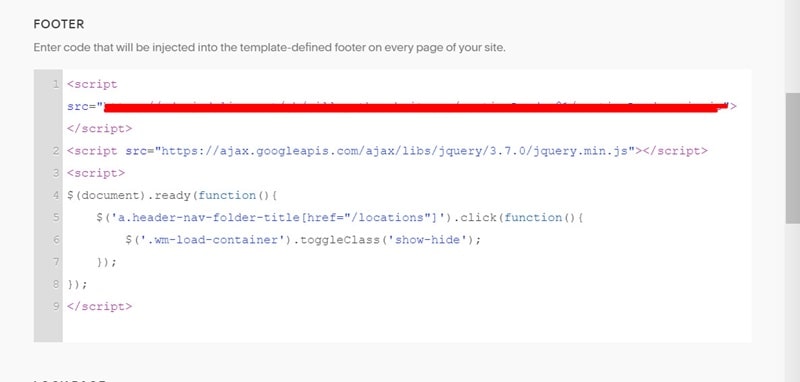
#5. Use this code to Code Injection – Footer, under #2 code
<script src="https://ajax.googleapis.com/ajax/libs/jquery/3.7.0/jquery.min.js"></script>
<script>
$(document).ready(function(){
    $('a.header-nav-folder-title[href="/locations"]').click(function(){
    	$('.wm-load-container').toggleClass('show-hide');
    });
});
</script>
#6. Note
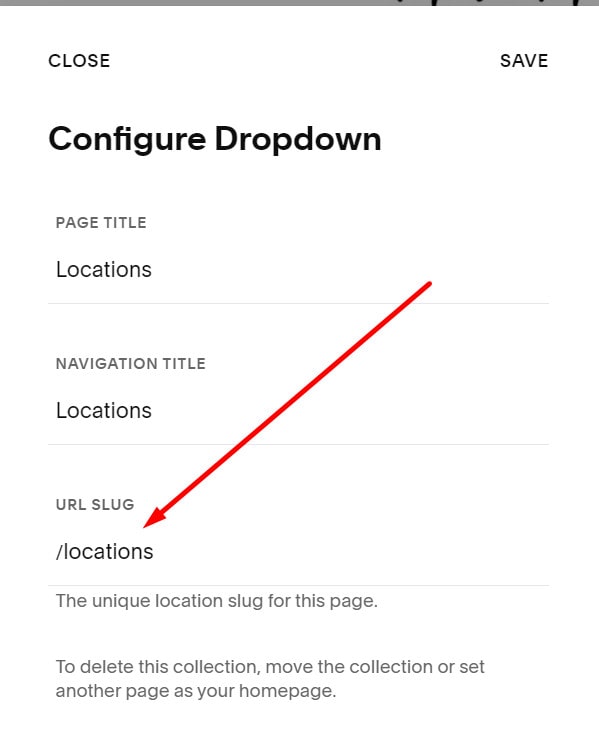
/locations in the code
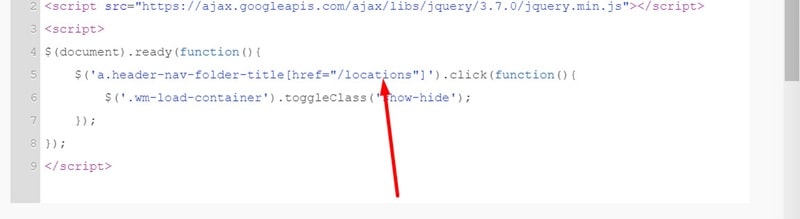
is Dropdown Menu Title Link
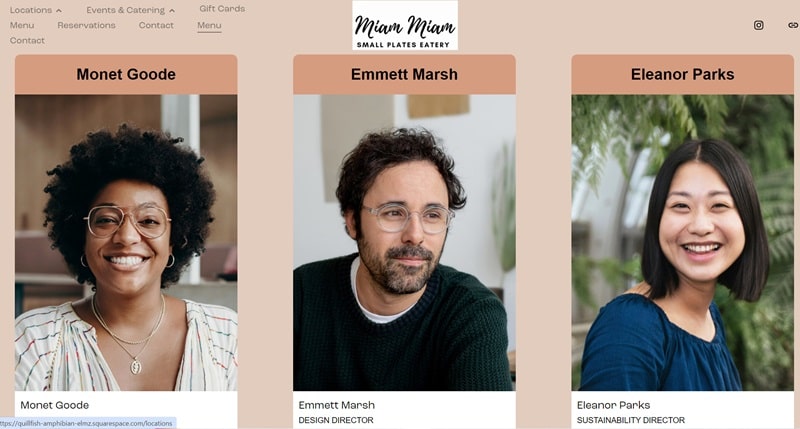
#7. Result
When clicking the Locations Dropdown Title, custom content will appear. You can use this to create a mega menu.