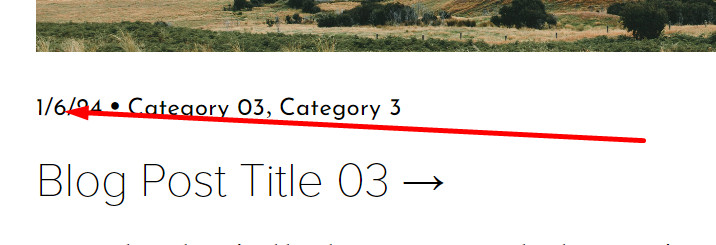
Note (Read First)
In the code, you will see this line: format(‘D MMMM, YYYY’)
- D means Day
- MMMM means Month
- YYYY means Year
You can change order, something like this
- format(‘MMMM D, YYYY’) it will show: February 27, 2024
- format(‘YYYY, D MMMM’) it will show: 2024, 27 February
Use this code to Code Injection – Footer
<script src="https://ajax.googleapis.com/ajax/libs/jquery/3.7.0/jquery.min.js"></script>
<script src="https://momentjs.com/downloads/moment.js"></script>
<script src="https://momentjs.com/downloads/moment-with-locales.js"></script>
<script>
$(document).ready(function() {
    if ($("time.blog-date, time span").length) {
        var translate = moment($("time.blog-date, time span").attr("datetime")).locale("EN").format('D MMMM, YYYY');
        $("time.blog-date, time span").html(translate);
    /*
        $(".product-price")
          .contents()
          .filter(function() {
            return this.nodeType == 3;
          }).remove(); */
    }
});
</script>
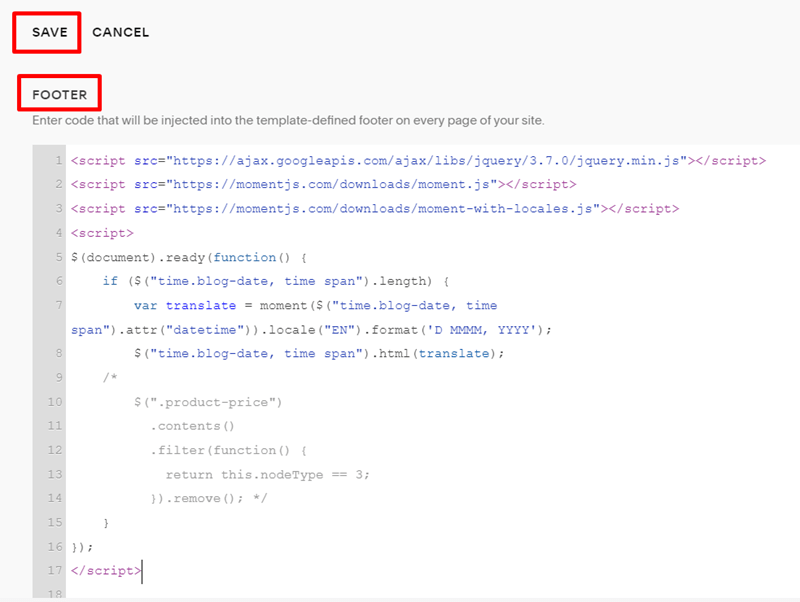
Afterusing the code:

Before using the code: