To show “Sold Out” text on Product Variant Dropdown, just follow these steps
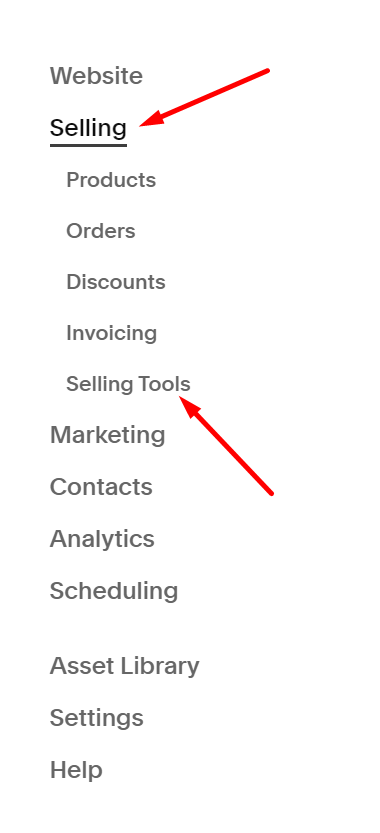
#1. Click Selling > Selling Tools
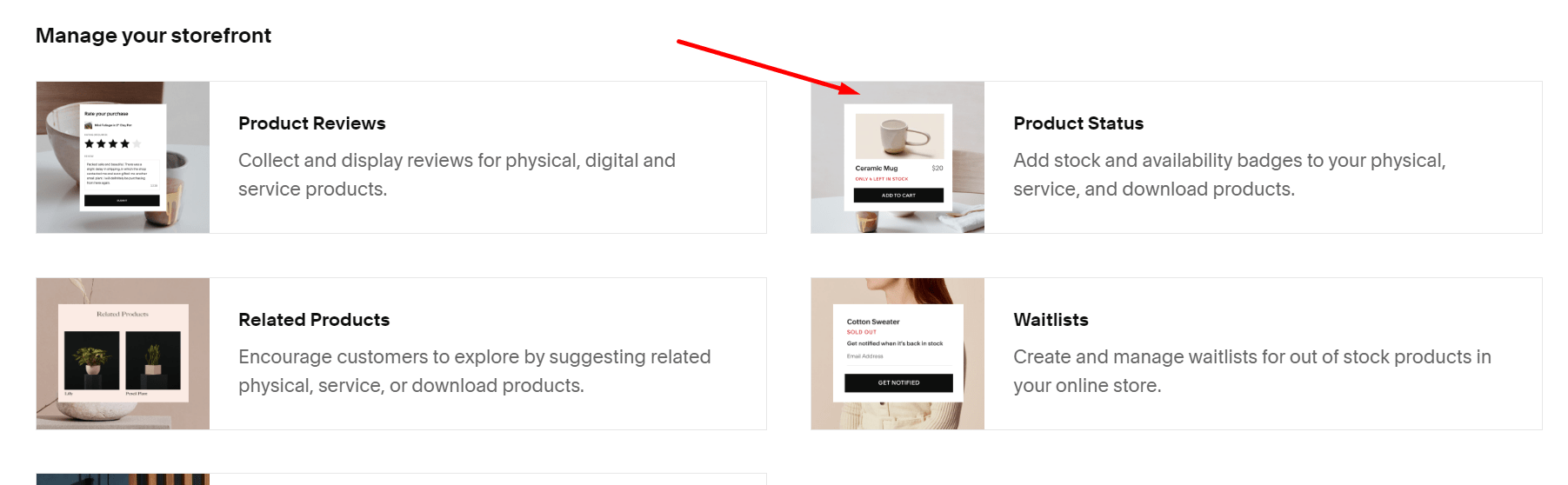
#2. Click Product Status
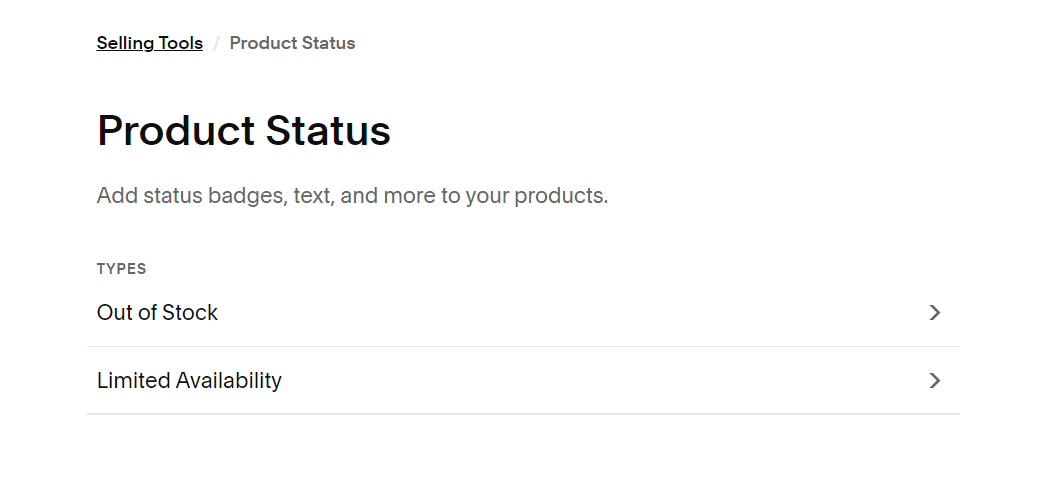
#3. Click Out of Stock
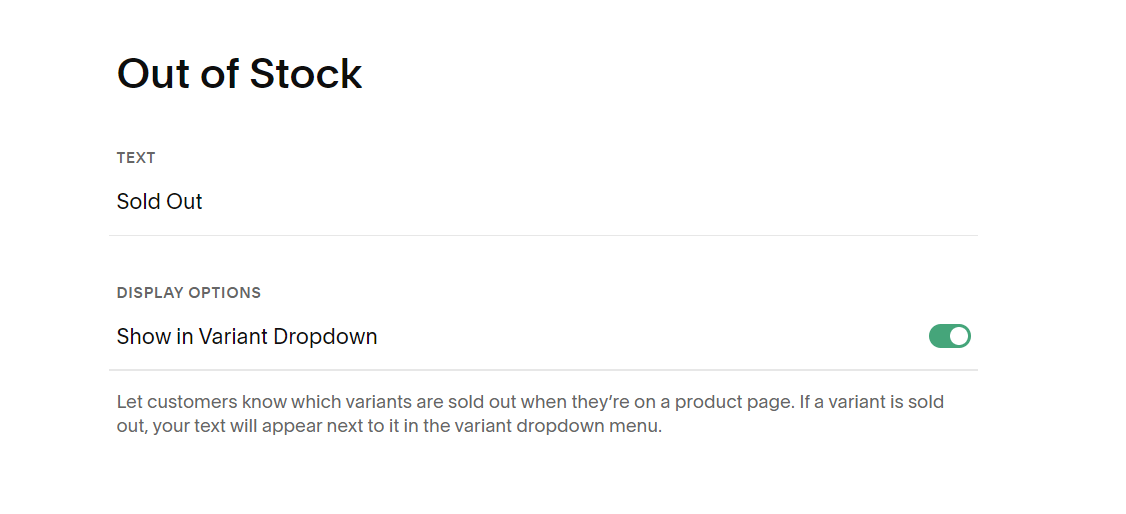
#4. And enable “Show in Variant Dropdown” option
To show “Sold Out” text on Product Variant Dropdown, just follow these steps
#1. Click Selling > Selling Tools
#2. Click Product Status
#3. Click Out of Stock
#4. And enable “Show in Variant Dropdown” option