Description
- fade out/sticky image block on scroll
- view demo – password: abc
- buy me a coffee
#1. Install Code
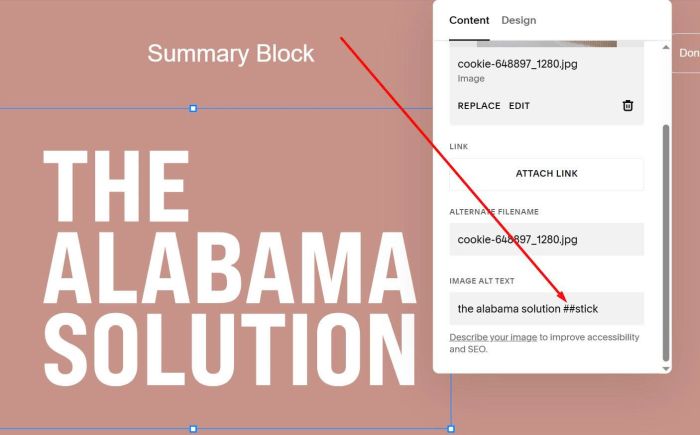
#1.1. First, you need to add an Image Block and place text: ##stick to ALT
##stick
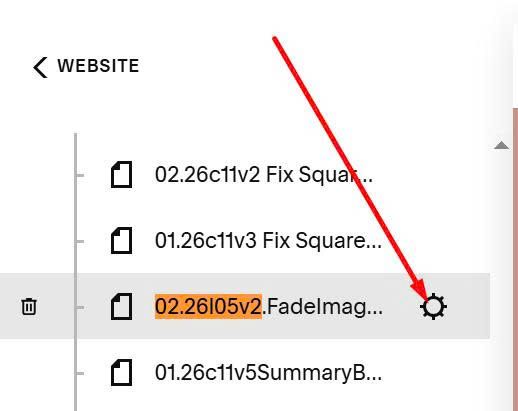
#1.2. Hover on page where you want to apply effect > Click Gear icon
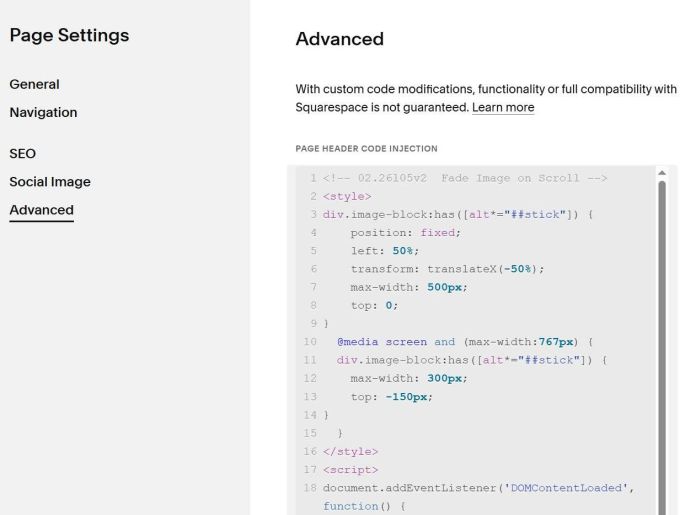
Click Advanced > Paste this code
<!-- 02.26l05v2  Fade Image on Scroll -->
<style>
div.image-block:has([alt*="##stick"]) {
    position: fixed;
    left: 50%;
    transform: translateX(-50%);
    max-width: 500px;
    top: 0;
}
  @media screen and (max-width:767px) {
  div.image-block:has([alt*="##stick"]) {
    max-width: 300px;
    top: -150px;
}
  }
</style>
<script>
document.addEventListener('DOMContentLoaded', function() {
  const element = document.querySelector('div.image-block:has([alt*="##stick"])');
  if (!element) return;

  let lastScrollY = window.pageYOffset;
  let ticking = false;

  function updateOpacity() {
    const currentScrollY = window.pageYOffset;
    const scrollDelta = currentScrollY - lastScrollY;

    let currentOpacity = parseFloat(element.style.opacity) || 1;

    if (scrollDelta > 0) {
      currentOpacity = Math.max(0.3, currentOpacity - 0.02);
    } else if (scrollDelta < 0) {
      currentOpacity = Math.min(1, currentOpacity + 0.02);
    }

    element.style.opacity = currentOpacity;
    lastScrollY = currentScrollY;
    ticking = false;
  }

  window.addEventListener('scroll', function() {
    if (!ticking) {
      window.requestAnimationFrame(updateOpacity);
      ticking = true;
    }
  });
});
</script>
#2. Customize
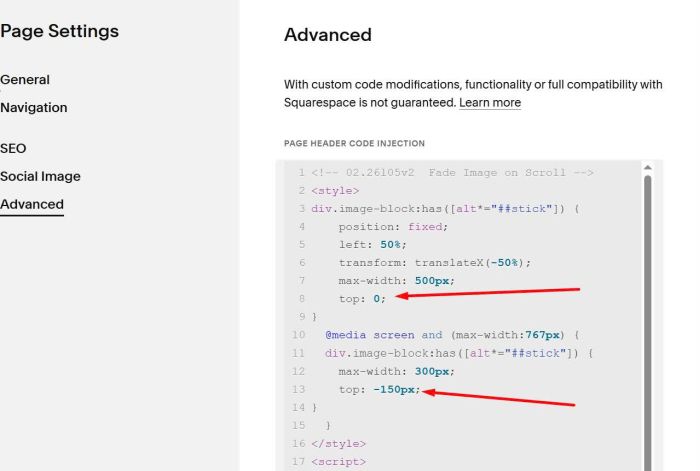
#2.1. To adjust Image size, change this line 07 (desktop) & line 12 (mobile)
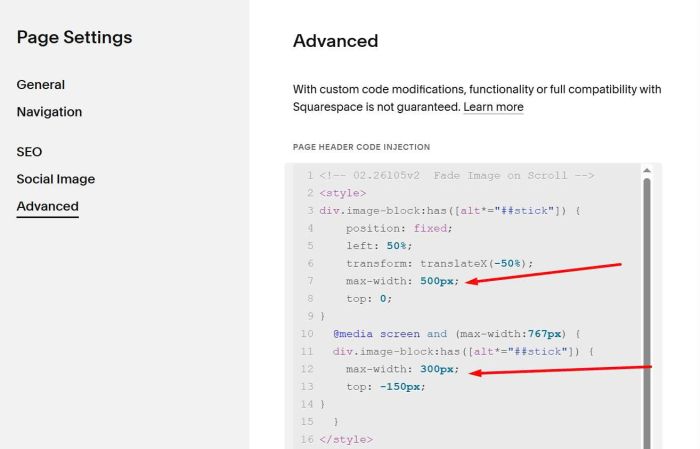
#2.2. To adjust space on top of image block, change line 08 (desktop) & line 13 (mobile)