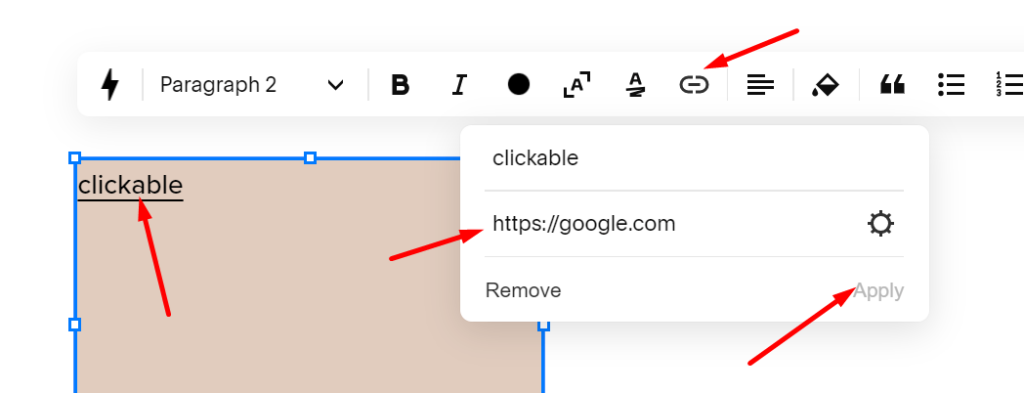
To make Shape Block Clickable, follow these steps
#1. Add this code to Code Injection > Footer
(You can use Markdown Block if your plan doesn’t support Code Injection)
<script src="https://ajax.googleapis.com/ajax/libs/jquery/3.7.0/jquery.min.js"></script>
<script>
$(document).ready(function(){
    $('.fe-block a:contains("clickable")').addClass('text-click');
});
</script>
#2. Add this code to Custom CSS
a.text-click {
    position: absolute;
    top: 0;
    left: 0;
    width: 100%;
    height: 100%;
    color: transparent !important;
}
#3. Add a Text Block over whole Shape Block
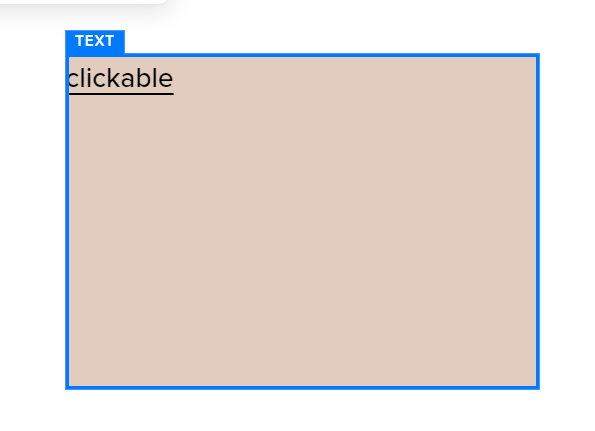
Add a text: clickable and add link on it. Replace Google with your desired url.