Demo: https://tuanphan3.squarespace.com/hover-image-show-video?noredirect
Pass: abc
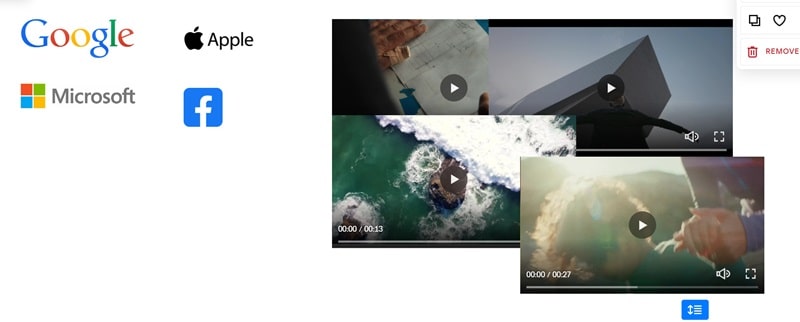
Suppose you have 4 images.
You want: when users hover on each image >> Change video on right.

#1. First, add 4 Image Blocks on the Left and 4 Video Blocks on the Right
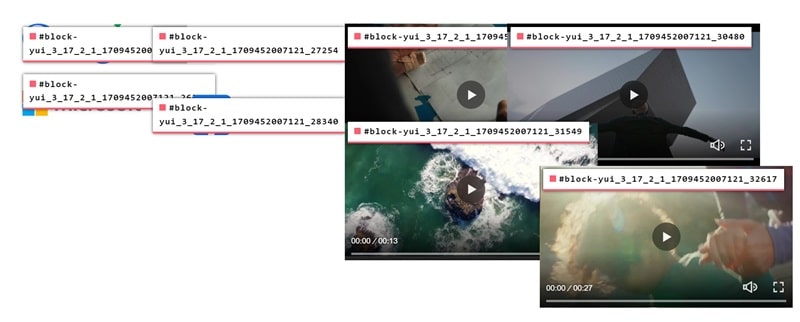
#2. Use this free tool to find the ID of Image and Video Blocks
In my example, we will have
- Google Image: #block-yui_3_17_2_1_1709452007121_25573
- Microsoft Image: #block-yui_3_17_2_1_1709452007121_26367
- Apple Image: #block-yui_3_17_2_1_1709452007121_27254
- Facebook Image: #block-yui_3_17_2_1_1709452007121_28340
- Video 1: #block-yui_3_17_2_1_1709452007121_29414
- Video 2: #block-yui_3_17_2_1_1709452007121_30480
- Video 3: #block-yui_3_17_2_1_1709452007121_31549
- Video 4: #block-yui_3_17_2_1_1709452007121_32617
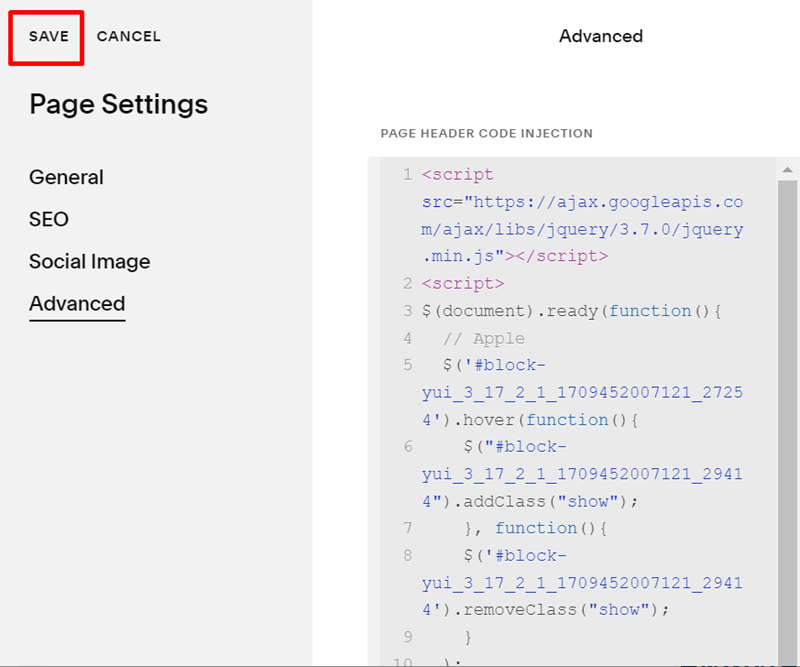
#3. Use this code to Page Header Code Injection
<script src="https://ajax.googleapis.com/ajax/libs/jquery/3.7.0/jquery.min.js"></script>
<script>
$(document).ready(function(){
  // Apple
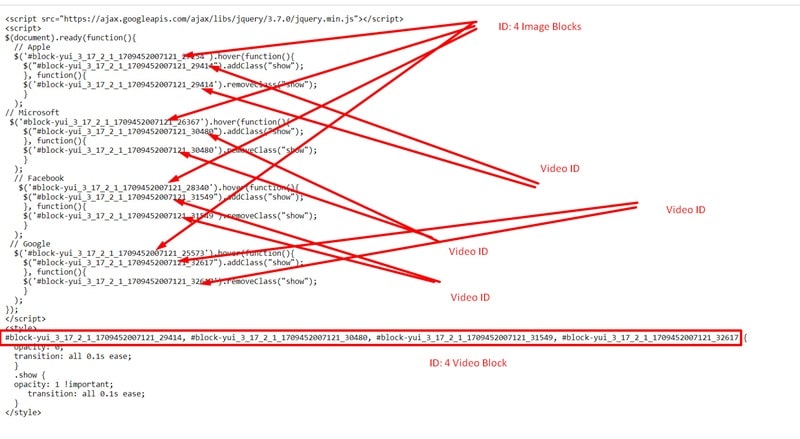
  $('#block-yui_3_17_2_1_1709452007121_27254').hover(function(){
    $("#block-yui_3_17_2_1_1709452007121_29414").addClass("show");
    }, function(){
    $('#block-yui_3_17_2_1_1709452007121_29414').removeClass("show");
    }
  );
// Microsoft
 $('#block-yui_3_17_2_1_1709452007121_26367').hover(function(){
    $("#block-yui_3_17_2_1_1709452007121_30480").addClass("show");
    }, function(){
    $('#block-yui_3_17_2_1_1709452007121_30480').removeClass("show");
    }
  );
  // Facebook
   $('#block-yui_3_17_2_1_1709452007121_28340').hover(function(){
    $("#block-yui_3_17_2_1_1709452007121_31549").addClass("show");
    }, function(){
    $('#block-yui_3_17_2_1_1709452007121_31549').removeClass("show");
    }
  );
 // Google
  $('#block-yui_3_17_2_1_1709452007121_25573').hover(function(){
    $("#block-yui_3_17_2_1_1709452007121_32617").addClass("show");
    }, function(){
    $('#block-yui_3_17_2_1_1709452007121_32617').removeClass("show");
    }
  );
});
</script>
<style>
#block-yui_3_17_2_1_1709452007121_29414, #block-yui_3_17_2_1_1709452007121_30480, #block-yui_3_17_2_1_1709452007121_31549, #block-yui_3_17_2_1_1709452007121_32617 {
  opacity: 0;
  transition: all 0.1s ease;
  }
  .show {
  opacity: 1 !important;
     transition: all 0.1s ease;
  }
</style>
#4. Explain code