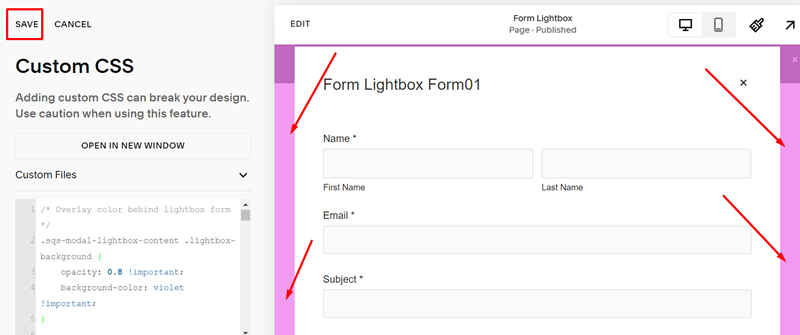
Change title size
Add this code to CSS Custom Box and click Save
/* Lightbox form title size */
div.lightbox-inner .form-title {
    font-size: 50px !important;
}
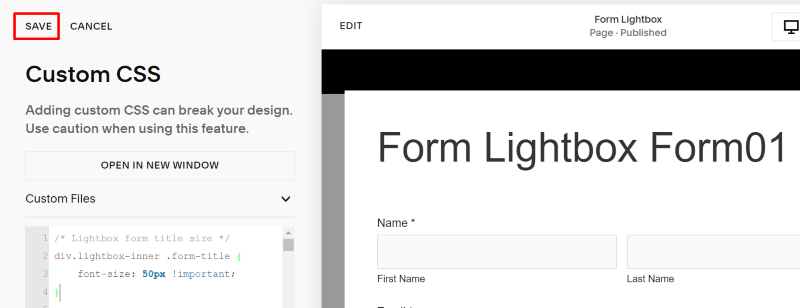
Add a subtitle
Add this code to CSS Custom Box and click Save
/* add sub text */
div.lightbox-inner .form-title:after {
    content: "enter some text here";
    display: block;
    font-size: 16px;
}
Align center title
Add this code to CSS Custom Box and click Save
/* align title */
div.lightbox-inner .form-title {
    text-align: center;
    margin-left: 22px;
}

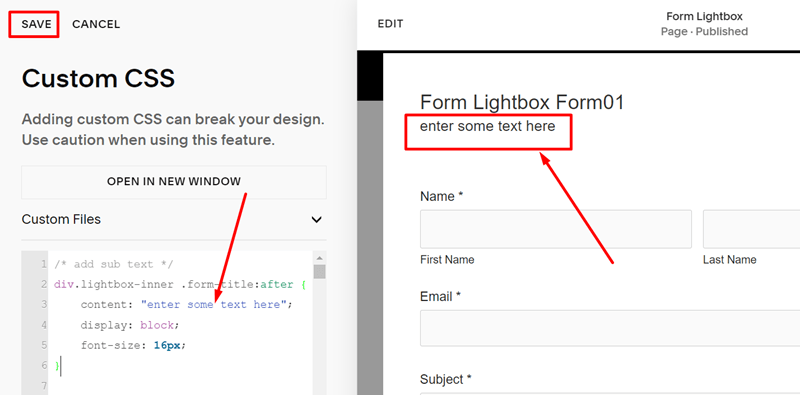
Change X icon style
Add this code to CSS Custom Box and click Save
/* Change X icon style */
div.lightbox-close {
    color: #f1f !important;
    font-size: 30px !important;
}
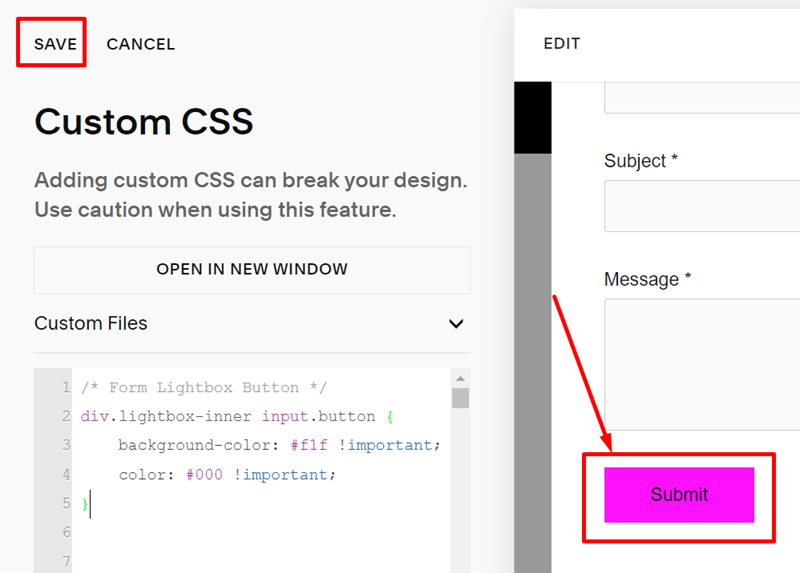
Change button color
Add this code to CSS Custom Box and click Save
/* Form Lightbox Button */
div.lightbox-inner input.button {
    background-color: #f1f !important;
    color: #000 !important;
}
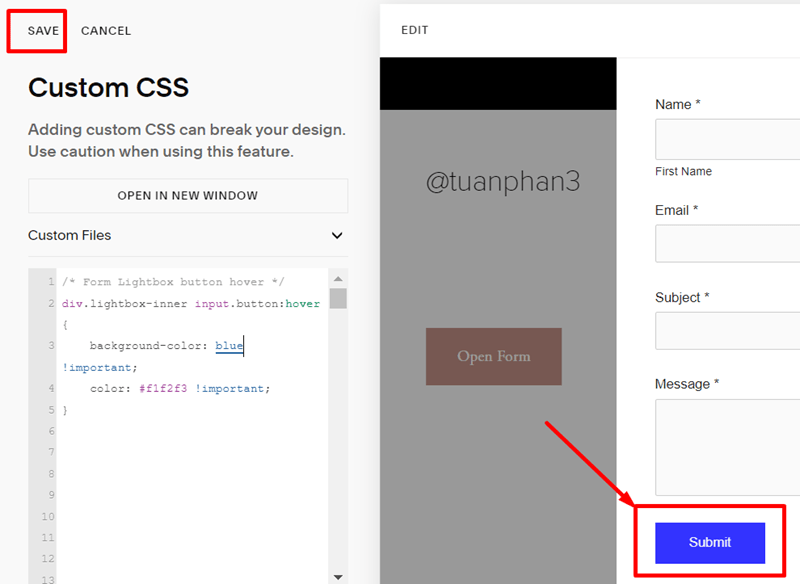
Button hover color
Add this code to CSS Custom Box and click Save
/* Form Lightbox button hover */
div.lightbox-inner input.button:hover {
    background-color: #000 !important;
    color: #f1f2f3 !important;
}
Change box background color
Add this code to CSS Custom Box and click Save
/* Form lightbox background color */
div.lightbox-content {
    background-color: #f1f !important;
}

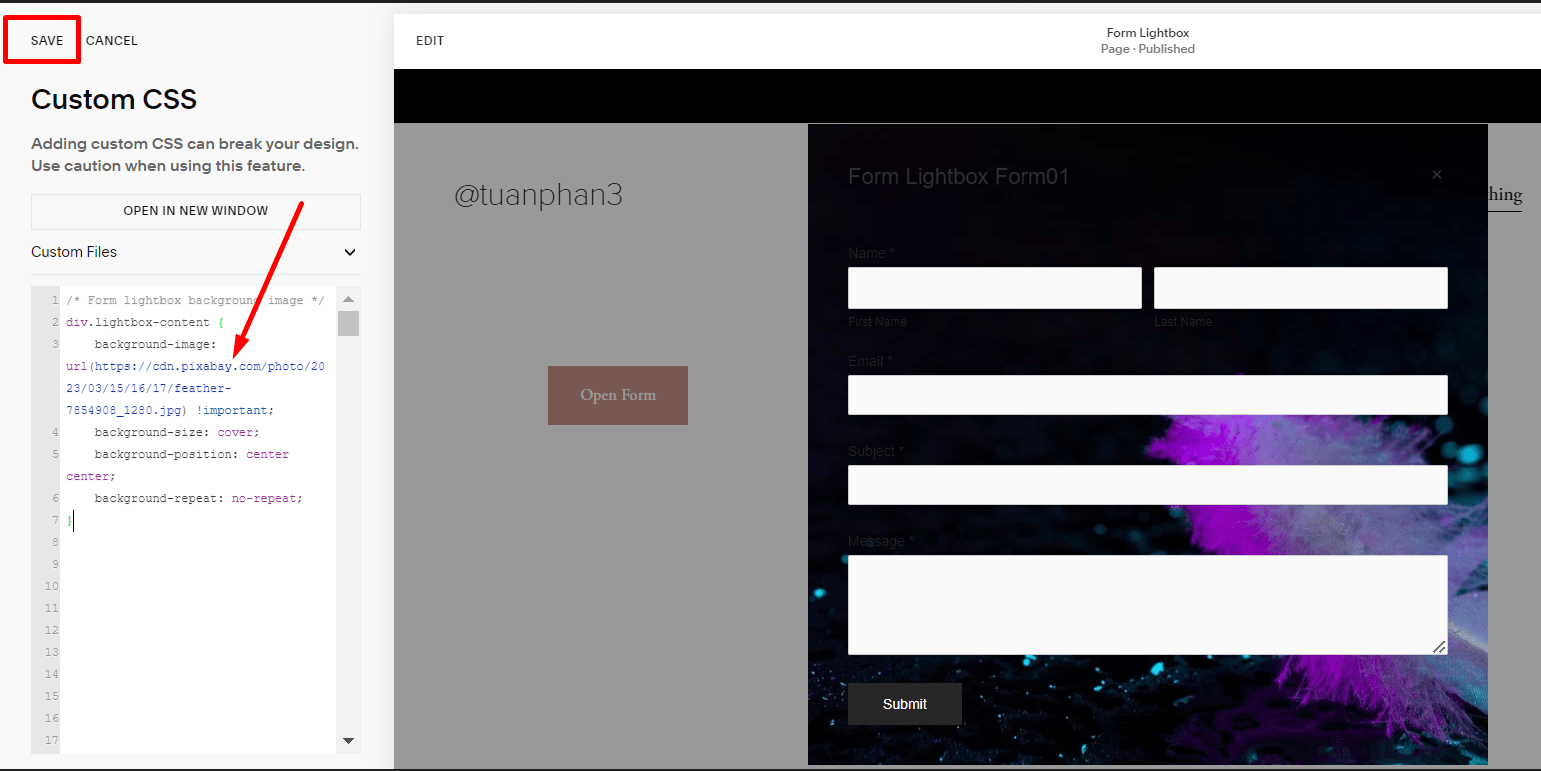
Change box background image
Add this code to CSS Custom Box and click Save (you can change example image url to url what you want)
/* Form lightbox background image */
div.lightbox-content {
    background-image: url(https://cdn.pixabay.com/photo/2023/03/15/16/17/feather-7854908_1280.jpg) !important;
    background-size: cover;
    background-position: center center;
    background-repeat: no-repeat;
}
Add a frame around Form Lightbox
Add this code to CSS Custom Box and click Save
/* add a frame around form lightbox */
div.lightbox-content {
    border: 3px solid #f1f;
}

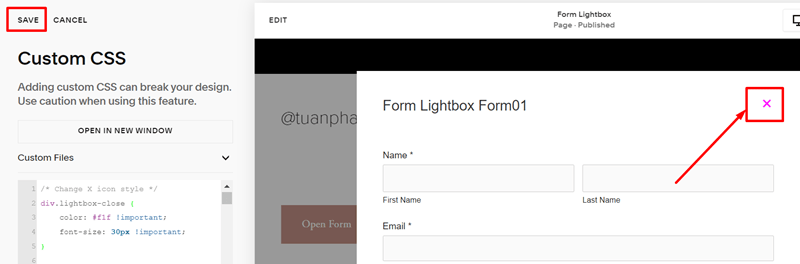
Overlay color behind Form Lightbox
Add this code to CSS Custom Box and click Save
/* Overlay color behind lightbox form */
.sqs-modal-lightbox-content .lightbox-background {
    opacity: 0.8 !important;
    background-color: violet !important;
}