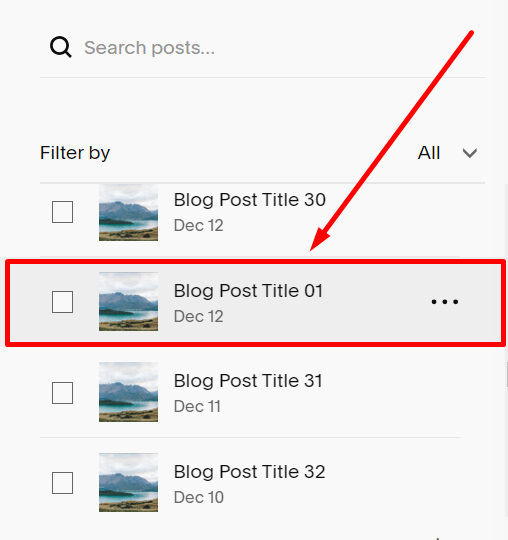
#1. Choose the blog post you want to change the Published Date, then click on the 3 dots (…)
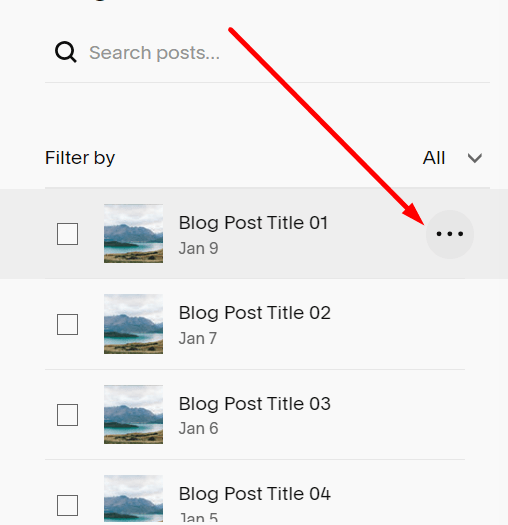
#2. Next, you click Settings.

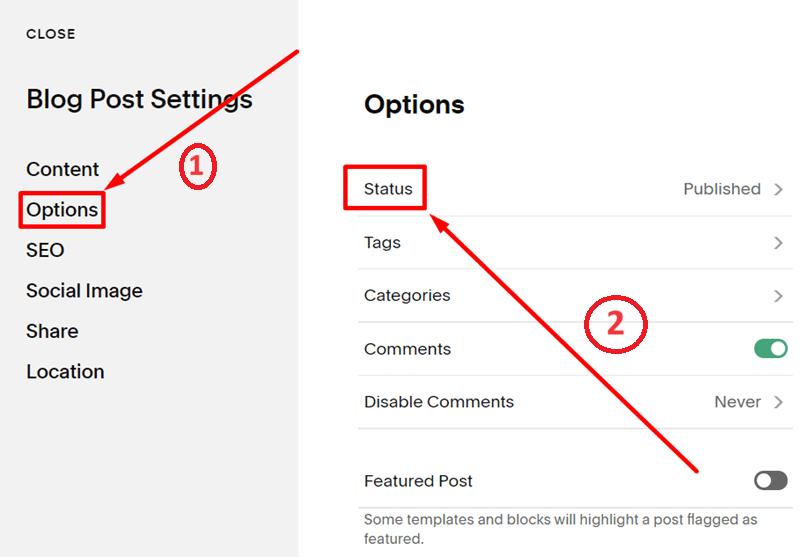
#3. Next, you choose Options, then choose Status.
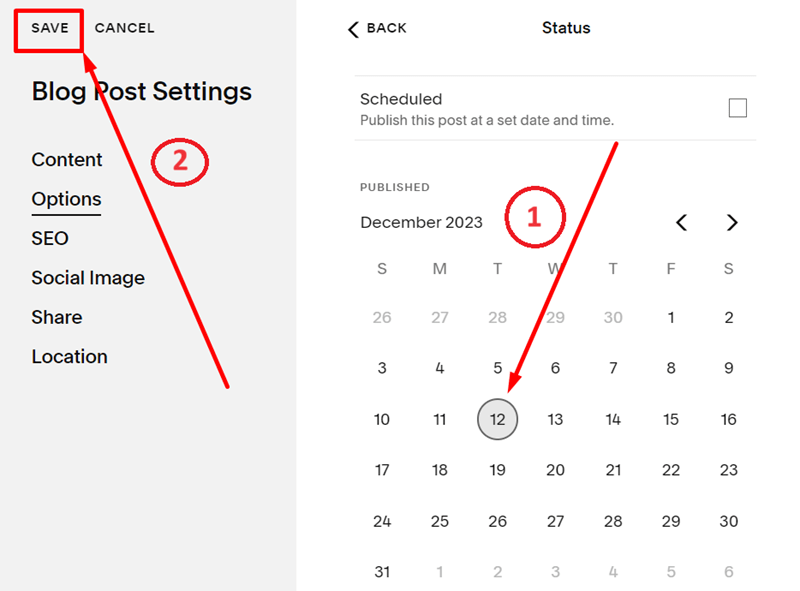
#4. Next, click on the date you want to change, then click Save.
#5. You change the date successfully like below.