Add these codes to the Custom CSS box and Save (you can change the example URL to the URL that you want)
Blog Page (list)
/* Blog Page (list) */
[class*="type-blog"].view-list .header-mobile-logo img {
   content: url(https://cdn.pixabay.com/photo/2023/09/10/11/44/tulip-8244705_1280.jpg);
}
Blog Post
/* Blog Post */
[class*="type-blog"].view-item .header-mobile-logo img {
   content: url(https://cdn.pixabay.com/photo/2023/09/10/11/44/tulip-8244705_1280.jpg);
}
Event List
/* Event List */
[class*="type-event"].view-list .header-mobile-logo img {
   content: url(https://cdn.pixabay.com/photo/2023/09/10/11/44/tulip-8244705_1280.jpg);
}
Event Detail
/* Event Detail */
[class*="type-events"].view-item .header-mobile-logo img {
   content: url(https://cdn.pixabay.com/photo/2023/09/10/11/44/tulip-8244705_1280.jpg);
}
Shop/Category
/* Shop/Category */
[class*="type-products"].view-list .header-mobile-logo img {
   content: url(https://cdn.pixabay.com/photo/2023/09/10/11/44/tulip-8244705_1280.jpg);
}
Individual Product
/* Individual Product */
[class*="type-products"].view-item .header-mobile-logo img {
   content: url(https://cdn.pixabay.com/photo/2023/09/10/11/44/tulip-8244705_1280.jpg);
}
Cart Page
/* Cart Page */
body#cart .header-mobile-logo img {
   content: url(https://cdn.pixabay.com/photo/2023/09/10/11/44/tulip-8244705_1280.jpg);
}
Homepage Only
/* Homepage Only */
body.homepage .header-mobile-logo img {
   content: url(https://cdn.pixabay.com/photo/2023/09/10/11/44/tulip-8244705_1280.jpg);
}
Other Pages (exclude homepage)
/* Other pages - exclude homepage */
body:not(.homepage) .header-mobile-logo img {
   content: url(https://cdn.pixabay.com/photo/2023/09/10/11/44/tulip-8244705_1280.jpg);
}
On Scroll Only
/* On Scroll Only */
header#header.shrink .header-mobile-logo img {
   content: url(https://cdn.pixabay.com/photo/2023/09/10/11/44/tulip-8244705_1280.jpg);
}
One Page
Add this code to Page Header Code Injection and Save (you can change the example URL to the URL that you want)
<!-- Change Mobile Logo - One Page -->
<style>
.header-mobile-logo img {
   content: url(https://cdn.pixabay.com/photo/2023/09/10/11/44/tulip-8244705_1280.jpg);
}
</style>
All Pages
#1. On the main screen of the website, you click Edit.
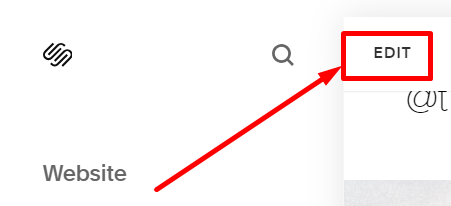
#2. Next, you hover on the logo and then click EDIT SITE HEADER.

#3. Next, you choose the Site title & logo.
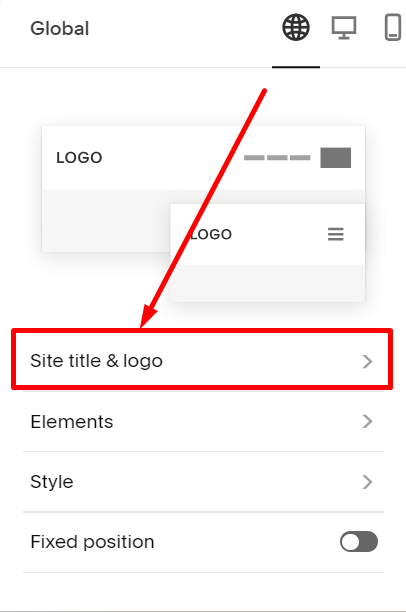
#4. Next, you click on the Plus icon (+)
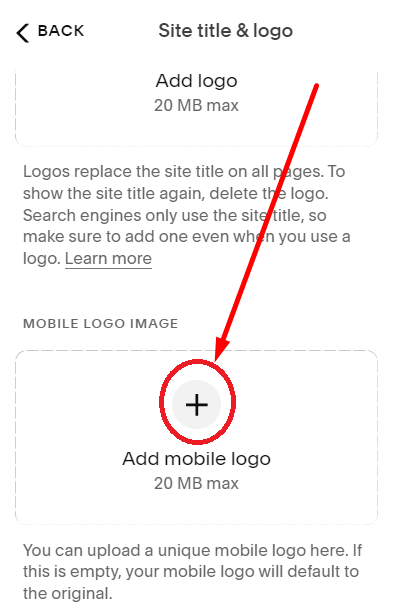
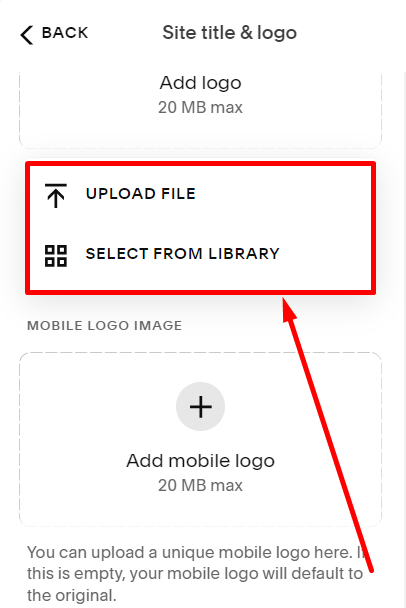
#5. Next, click Upload File to upload the new logo.