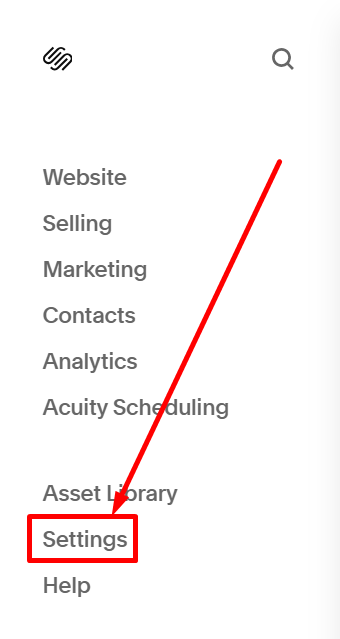
#1. First, you choose Settings on the left of the edit mode
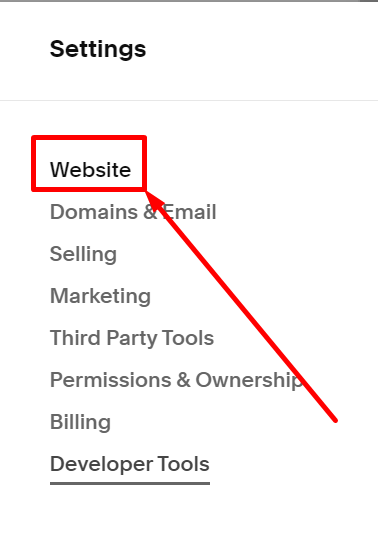
#2. Next, you choose the Website
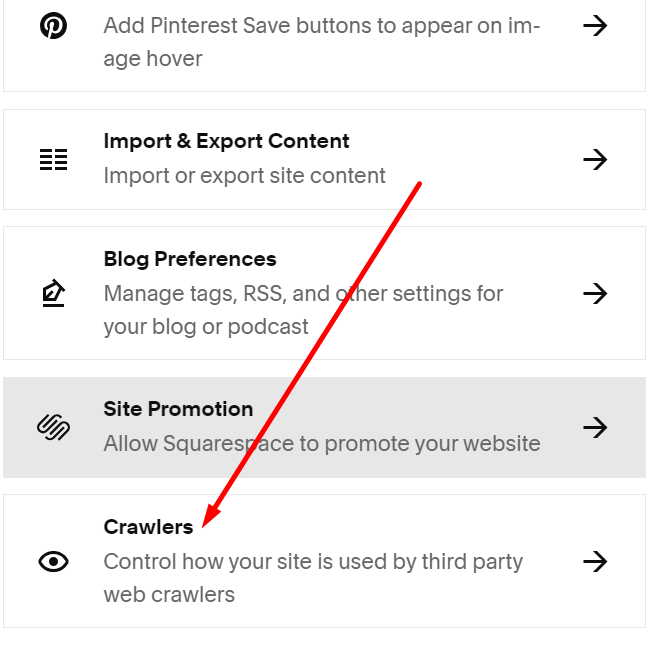
#3. Next, you choose Crawlers
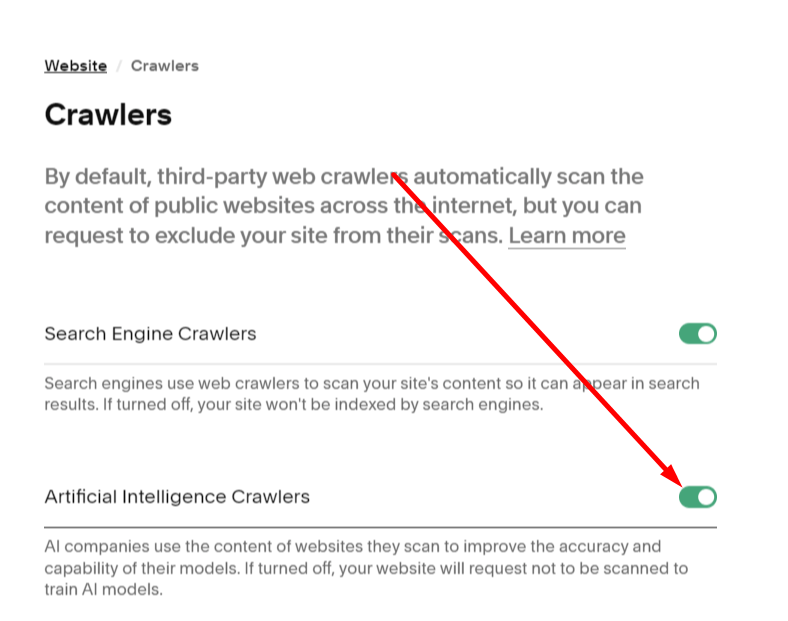
#4. Next, disable Artificial Intelligence Crawlers option
#5. Next, click Save on the right of the header

#1. First, you choose Settings on the left of the edit mode
#2. Next, you choose the Website
#3. Next, you choose Crawlers
#4. Next, disable Artificial Intelligence Crawlers option
#5. Next, click Save on the right of the header