#1. First, create a Page in Not Linked with Name/URL
- Footer Gallery – /footer-gallery

#2. Add a Gallery Reel and some text to this page, something like this

#3. Install this plugin
The plugin will give you some code like this to Code Injection – Header/Footer
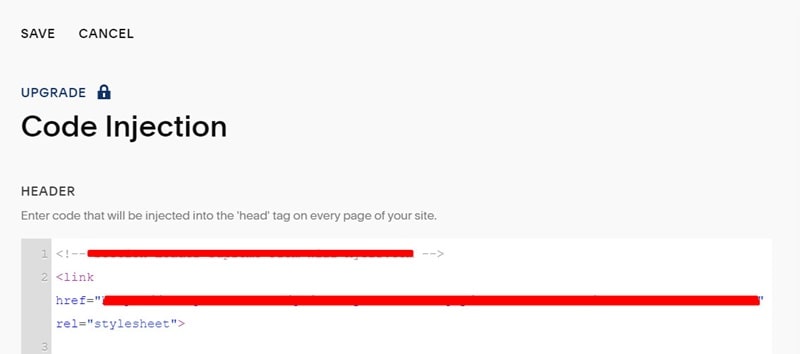
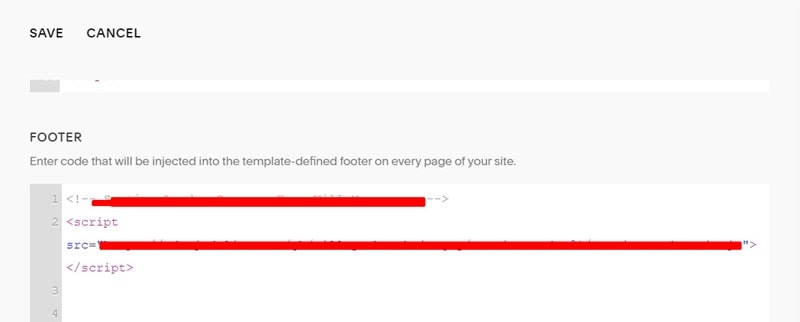
#4. Edit Site Footer > Add a Code Block with this code
<div data-wm-plugin="load" data-target="/footer-gallery"></div>

#5. Use this code to Code Injection – Footer
<script>
document.addEventListener('wmSectionLoader:scriptsLoaded', () => {
  const container = document.querySelector('.wm-load-container[data-target="/footer-gallery"]');
  const footerSection = document.querySelector('#footer-sections')
  footerSection.insertAdjacentElement('afterbegin', container)
 const nextButton = document.querySelector('.gallery-reel-control-btn[data-next]');
setInterval(() => {
  nextButton.click();
}, 3000);
});
</script>

Result:

#6. Extra code
#6.1. Reduce Reel Height
Note: reduce height = increase number of items/row
Add code to the Custom CSS box
/* reduce reel height */
[data-wm-plugin] .gallery-reel {
    height: 20vh !important;
}

#6.2. Make the Reel touch the left/right of the screen
Add code to the Custom CSS box
/* reel touch left right screen */
[data-wm-plugin] .gallery-reel {
    padding-left: 0px !important;
    padding-right: 0px !important;
}
