Demo: https://tuanphan-demo01.squarespace.com/click-text-show-newsletter?noredirect
Password: abc
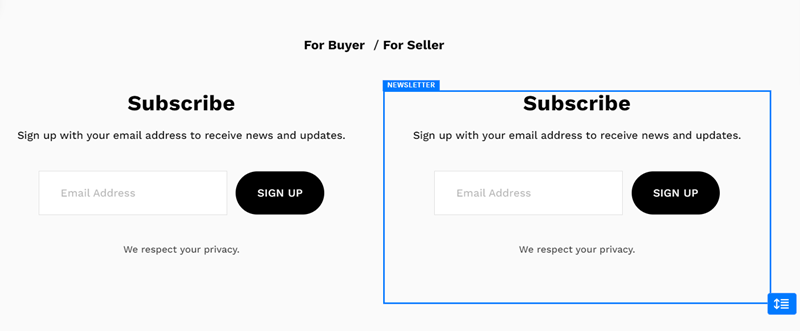
Suppose you have 2 texts and 2 Newsletters.
And you want: when clicking on the Text, the Newsletter will appear below it.
You can follow these steps:
#1. First, add 2 Text Blocks and 2 Newsletter
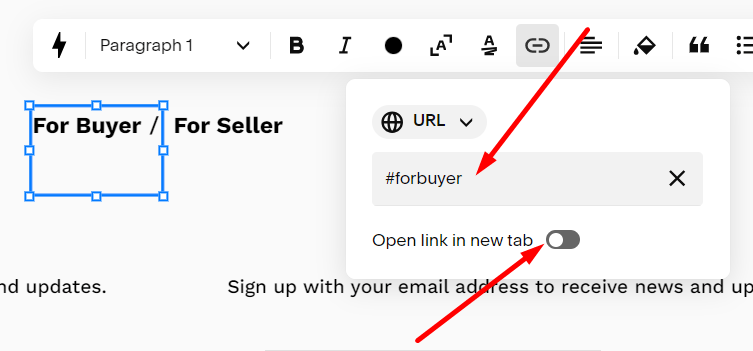
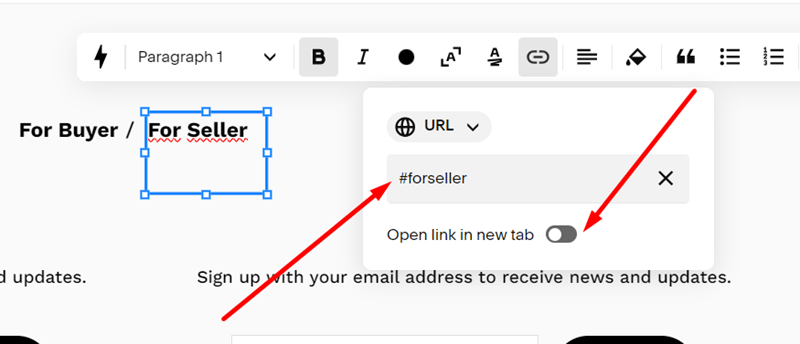
#2. Edit 2 Text Blocks, and use these URLs:
- #forbuyer
- #forseller
and make sure the option “Open Link in New Tab” is disabled.
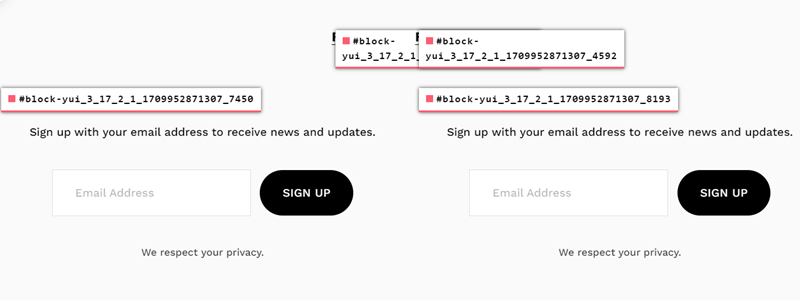
#3. Install Squarespace ID Finder to find the ID of Buttons and Newsletters.
In my example, we will have:
- For Buyer: #block-yui_3_17_2_1_1709952871307_3612
- For Seller: #block-yui_3_17_2_1_1709952871307_4592
- Newsletter for buyer: #block-yui_3_17_2_1_1709952871307_7450
- Newsletter for seller: #block-yui_3_17_2_1_1709952871307_8193
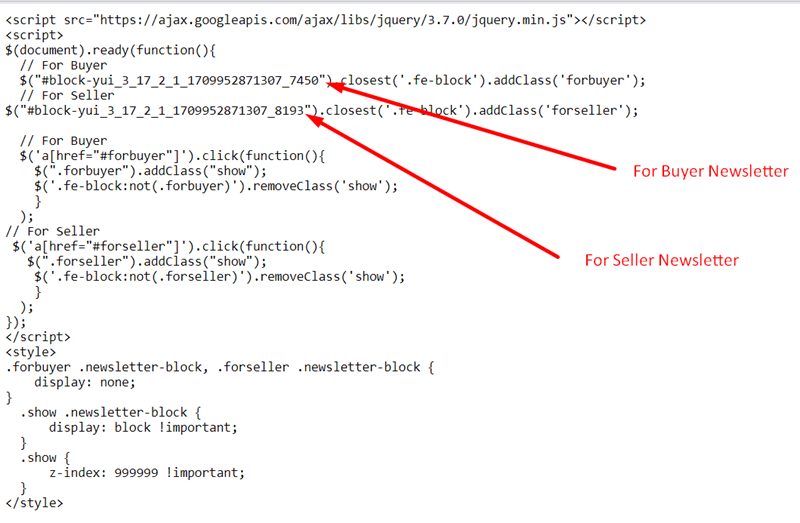
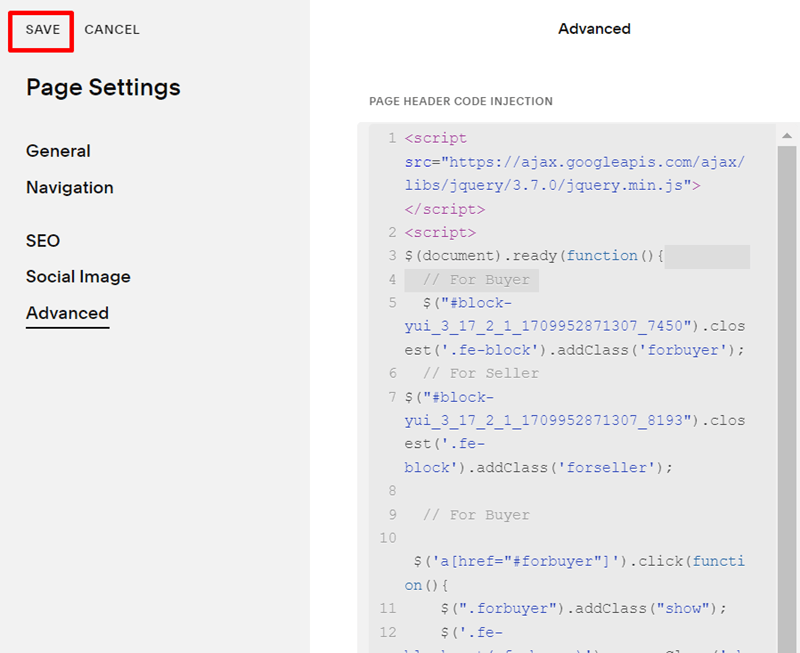
#4. Use code to Code Injection – Footer (or Page Header Code Injection)
<script src="https://ajax.googleapis.com/ajax/libs/jquery/3.7.0/jquery.min.js"></script>
<script>
$(document).ready(function(){
  // For Buyer
  $("#block-yui_3_17_2_1_1709952871307_7450").closest('.fe-block').addClass('forbuyer');
  // For Seller
$("#block-yui_3_17_2_1_1709952871307_8193").closest('.fe-block').addClass('forseller');

  // For Buyer
  $('a[href="#forbuyer"]').click(function(){
    $(".forbuyer").addClass("show");
    $('.fe-block:not(.forbuyer)').removeClass('show');
    }
  );
// For Seller
 $('a[href="#forseller"]').click(function(){
   $(".forseller").addClass("show");
    $('.fe-block:not(.forseller)').removeClass('show');
    }
  );
});
</script>
<style>
.forbuyer .newsletter-block, .forseller .newsletter-block {
    display: none;
}
  .show .newsletter-block {
      display: block !important;
  }
  .show {
      z-index: 999999 !important;
  }
</style>
#5. Explain code