Description
- Multi row image horizontal scrolling
- Using Gallery Section
- View Demo – Password: abc
- Buy me a coffee (thank you!)

#1. Install Code
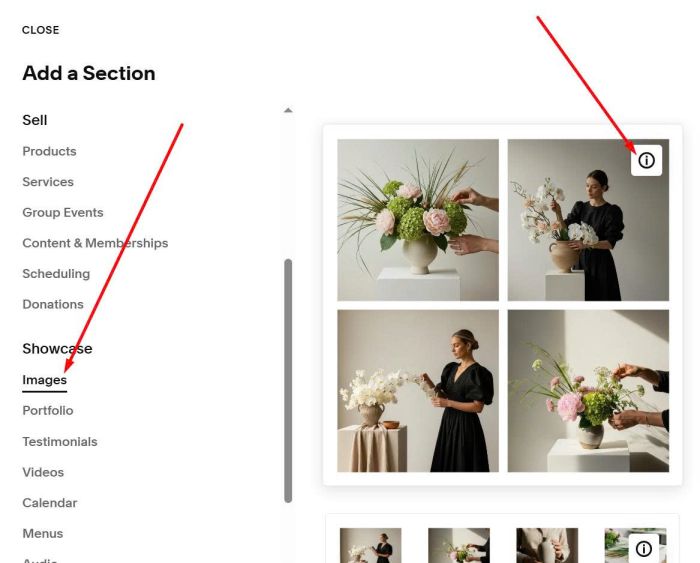
First, you need to add a Gallery Section (Choose Images > Choose section with (i) icon)
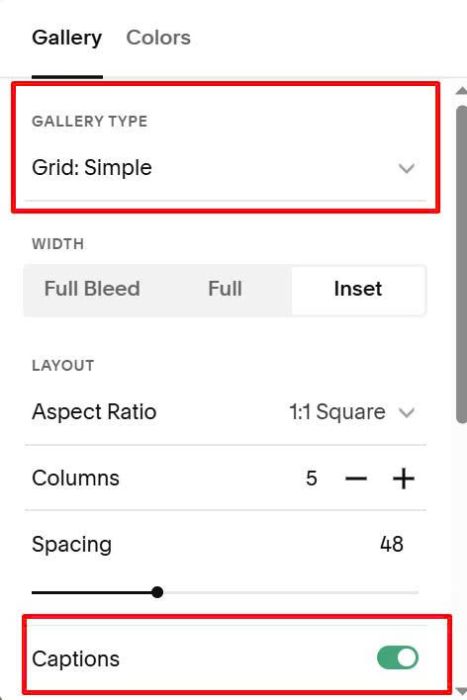
Make sure you choose Grid Simple + Enable Captions
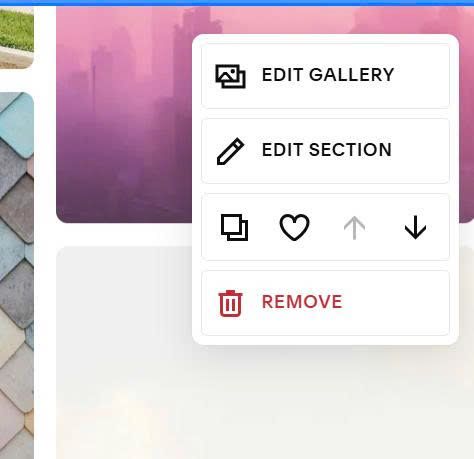
Next, hover on right of Gallery Section > Click Edit Section
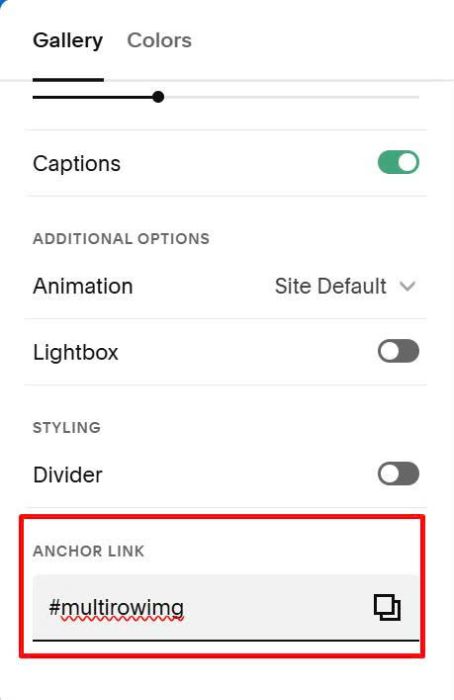
Enter word: multirowimg
multirowimg
Next, hover on right of Gallery Section > Click Edit Gallery to upload images
Remember to enter word: column 1 or column 2 or column 3 or column 4 or column 5 to add images to first, second…columns
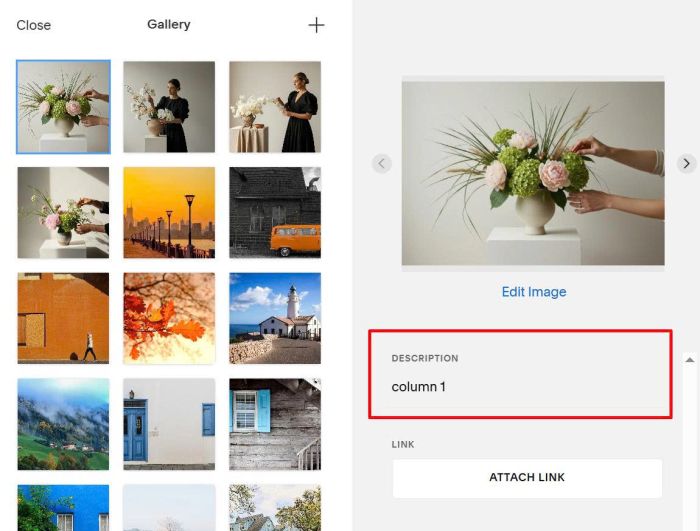
or this
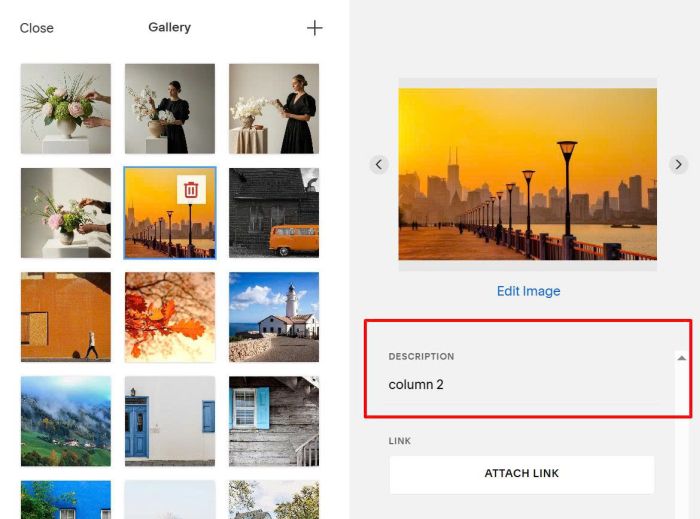
or this
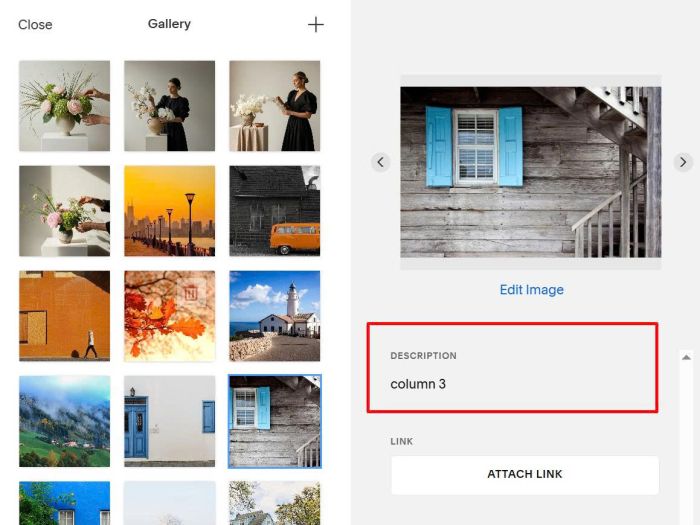
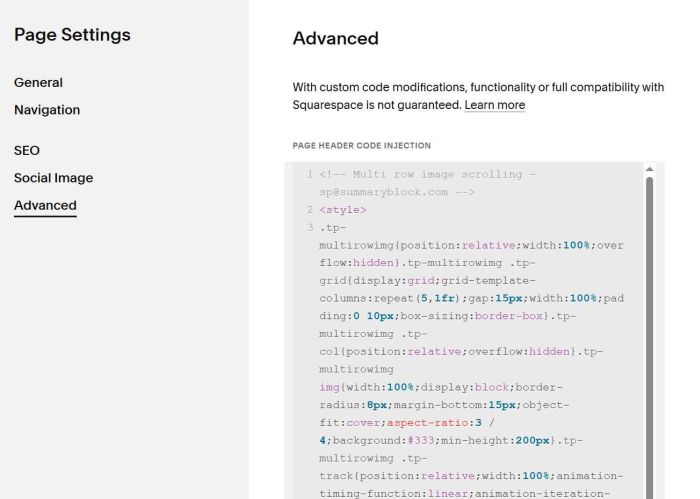
Next, hover on Page where you use Gallery Section > Click Gear icon
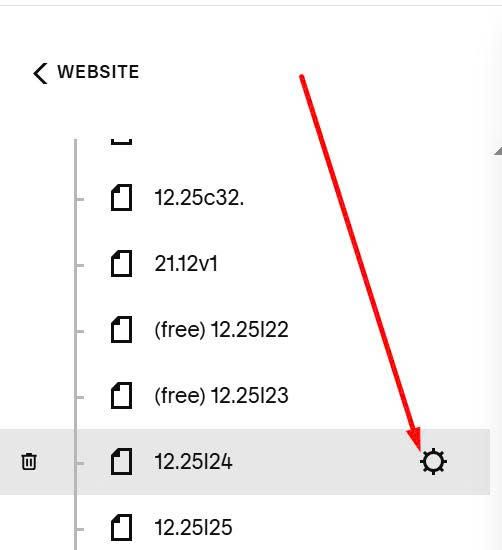
Paste this code
<!-- Multi row image scrolling - [email protected] -->
<style>
.tp-multirowimg{position:relative;width:100%;overflow:hidden}.tp-multirowimg .tp-grid{display:grid;grid-template-columns:repeat(5,1fr);gap:15px;width:100%;padding:0 10px;box-sizing:border-box}.tp-multirowimg .tp-col{position:relative;overflow:hidden}.tp-multirowimg img{width:100%;display:block;border-radius:8px;margin-bottom:15px;object-fit:cover;aspect-ratio:3 / 4;background:#333;min-height:200px}.tp-multirowimg .tp-track{position:relative;width:100%;animation-timing-function:linear;animation-iteration-count:infinite;will-change:transform}.tp-multirowimg .tp-up .tp-track{animation-name:tpScrollUp}.tp-multirowimg .tp-down .tp-track{animation-name:tpScrollDown}@keyframes tpScrollUp{0%{transform:translateY(0)}100%{transform:translateY(-50%)}}@keyframes tpScrollDown{0%{transform:translateY(-50%)}100%{transform:translateY(0)}}@media (max-width:768px){.tp-multirowimg .tp-grid{grid-template-columns:repeat(3,1fr)}}@media (max-width:480px){.tp-multirowimg .tp-grid{grid-template-columns:repeat(2,1fr)}}@media (prefers-reduced-motion:reduce){.tp-multirowimg .tp-track{animation:none!important}}div#tp-multirowimg-wrap{max-height:100vh;overflow:hidden}
</style>
<script>
(()=>{const e="tp-multirowimg-wrap",t=()=>{const t=document.getElementById("multirowimg")||document.querySelector('a[name="multirowimg"]')||document.querySelector('a[href="#multirowimg"]');if(!t)return!1;const r=(n=t,n?.closest("section")||n?.closest(".page-section")||n?.closest("#page")||n?.parentElement||null);var n;if(!r)return!1;if(r.querySelector("#"+e))return!0;const c=(e=>e?.querySelector(".gallery-grid")||e?.querySelector(".sqs-gallery-block-grid")||e?.querySelector(".sqs-gallery-design-grid")||null)(r);if(!c)return!1;const s=Array.from(c.querySelectorAll("figure"));if(!s.length)return!1;const o=new Map;if(s.forEach((e=>{const t=e.querySelector(".gallery-caption-content"),r=(n=t?.textContent,String(n||"").trim().replace(/\s+/g," ").toLowerCase());var n;if(!r)return;const c=e.querySelector("img");if(!c)return;const s=c.getAttribute("data-image")||c.getAttribute("data-src")||c.currentSrc||c.getAttribute("src");if(!s)return;const i={src:s,srcset:c.getAttribute("srcset")||"",sizes:c.getAttribute("sizes")||"",alt:c.getAttribute("alt")||t.textContent.trim()};o.has(r)||o.set(r,[]),o.get(r).push(i)})),!o.size)return!1;const i=Array.from(o.keys()).sort(((e,t)=>{const r=e.match(/\d+/)?.[0],n=t.match(/\d+/)?.[0];return r&&n?Number(r)-Number(n):r?-1:n?1:e.localeCompare(t)})),l=[45,55,35,60,40],a=document.createElement("div");a.id=e,a.className="tp-multirowimg";const u=document.createElement("div");u.className="tp-grid";let d=0;const m=e=>{const t=document.createElement("img");return t.src=e.src,e.srcset&&t.setAttribute("srcset",e.srcset),e.sizes&&t.setAttribute("sizes",e.sizes),t.alt=e.alt,t.loading="lazy",t.decoding="async",d+=1,t};return i.forEach(((e,t)=>{const r=o.get(e)||[];if(!r.length)return;const n=document.createElement("div");n.className="tp-col "+(t%2==0?"tp-up":"tp-down");const c=document.createElement("div");c.className="tp-track",c.style.animationDuration=l[t%l.length]+"s",r.forEach((e=>c.appendChild(m(e)))),r.forEach((e=>c.appendChild(m(e)))),n.appendChild(c),u.appendChild(n)})),a.appendChild(u),!(0===d||!u.children.length)&&(c.insertAdjacentElement("beforebegin",a),c.style.display="none",!0)},r=()=>{if(t())return;const e=new MutationObserver((()=>{t()&&e.disconnect()}));e.observe(document.documentElement,{childList:!0,subtree:!0}),setTimeout((()=>{t(),e.disconnect()}),8e3)};"loading"===document.readyState?document.addEventListener("DOMContentLoaded",r,{once:!0}):r()})();
</script>
#2. Customize
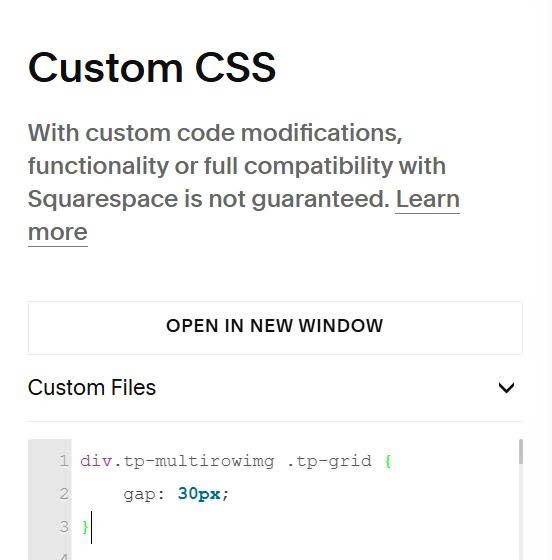
#2.1. To change white gap between columns, use this to Custom CSS
div.tp-multirowimg .tp-grid {
    gap: 30px;
}
#2.2. To change white gap between images, use this to Custom CSS
div.tp-multirowimg img {
    margin-bottom: 30px;
}
#2.3. To change speed, use this to Custom CSS
div.tp-track {
    animation-duration: 90s !important;
}
#2.4. To change height of multi row image section, use this to Custom CSS
div#tp-multirowimg-wrap {
    min-height: 150vh !important;
}
If you need more support, you can email me at [email protected]