- View Demo – Password: abc
- You can email me if you need support/have any problems
- Buy me a coffee if it is useful for you
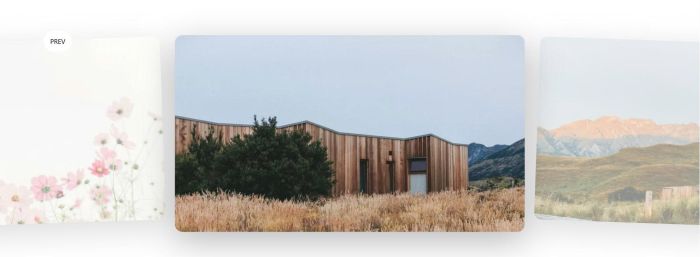
Description: turn Gallery Grid Section to Carousel similar Squarespace
#1. Install Code
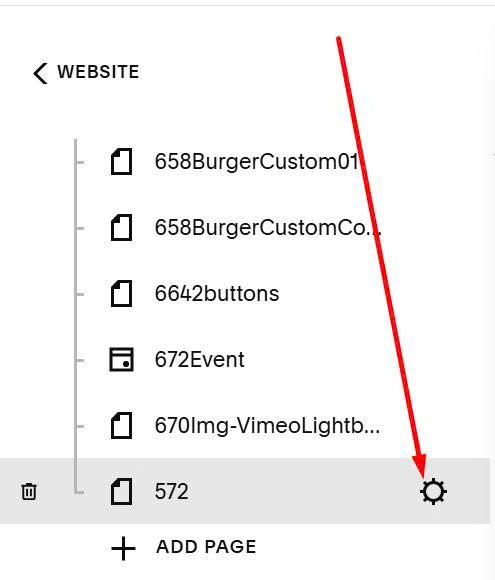
Hover on page where you want to add this effect > Click Gear icon
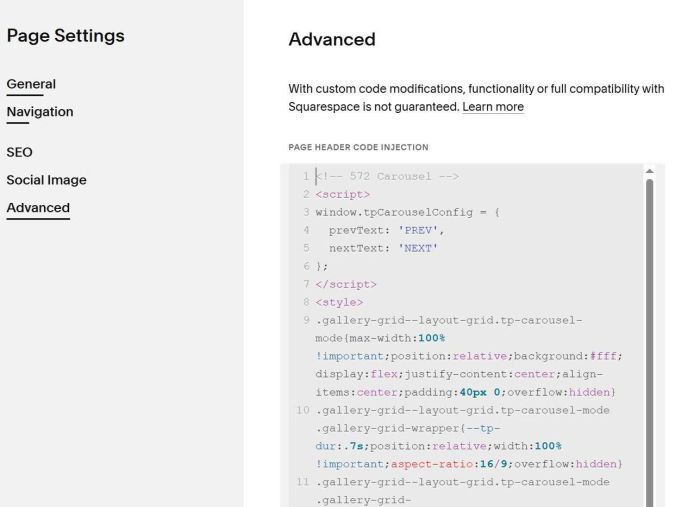
Click Advanced > Paste this code
<!-- 572 Carousel -->
<script>
window.tpCarouselConfig = {
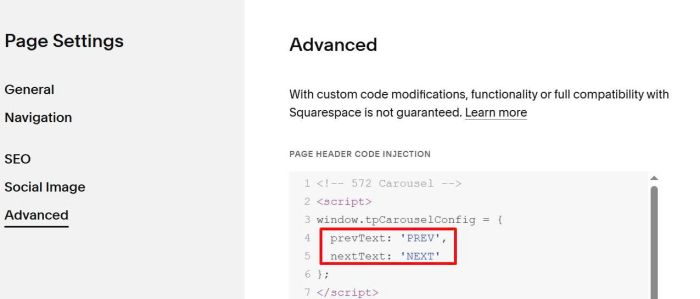
  prevText: 'PREV',
  nextText: 'NEXT'
};
</script>
<style>
.gallery-grid--layout-grid.tp-carousel-mode{max-width:100% !important;position:relative;background:#fff;display:flex;justify-content:center;align-items:center;padding:40px 0;overflow:hidden}
.gallery-grid--layout-grid.tp-carousel-mode .gallery-grid-wrapper{--tp-dur:.7s;position:relative;width:100% !important;aspect-ratio:16/9;overflow:hidden}
.gallery-grid--layout-grid.tp-carousel-mode .gallery-grid-item{position:absolute;top:50%;width:50%;aspect-ratio:16/9;border-radius:16px;overflow:hidden;box-shadow:0 20px 70px rgba(0,0,0,.28);transition:left var(--tp-dur) cubic-bezier(.22,1,.36,1),transform var(--tp-dur) cubic-bezier(.22,1,.36,1),opacity var(--tp-dur);will-change:left,transform,opacity;cursor:none}
.gallery-grid--layout-grid.tp-carousel-mode .gallery-grid-item img{width:100%;height:100%;object-fit:cover;display:block;user-select:none;pointer-events:none}
.gallery-grid--layout-grid.tp-carousel-mode .gallery-grid-item.tp-pos-center{left:50%;transform:translate(-50%,-50%) rotate(0) scale(1);opacity:1;z-index:3}
.gallery-grid--layout-grid.tp-carousel-mode .gallery-grid-item.tp-pos-left{left:-25%;transform:translateY(-50%) rotate(-2deg) scale(.93);opacity:.5;z-index:2}
.gallery-grid--layout-grid.tp-carousel-mode .gallery-grid-item.tp-pos-right{left:calc(100% - 25%);transform:translateY(-50%) rotate(2deg) scale(.93);opacity:.5;z-index:2}
.gallery-grid--layout-grid.tp-carousel-mode .gallery-grid-item.tp-off-left{left:-220%;transform:translateY(-50%) scale(.9);opacity:0;z-index:1;transition:none}
.gallery-grid--layout-grid.tp-carousel-mode .gallery-grid-item.tp-off-right{left:220%;transform:translateY(-50%) scale(.9);opacity:0;z-index:1;transition:none}
.tp-cursor{position:fixed;top:0;left:0;transform:translate(-50%,-50%);background:#fff;color:#000;padding:6px 14px;border-radius:50px;font-size:14px;font-family:system-ui,Arial,sans-serif;pointer-events:none;opacity:0;transition:opacity .15s;z-index:9999}
@media (max-width:900px){
.gallery-grid--layout-grid.tp-carousel-mode .gallery-grid-item{width:70%}
.gallery-grid--layout-grid.tp-carousel-mode .gallery-grid-item.tp-pos-left{left:-35%}
.gallery-grid--layout-grid.tp-carousel-mode .gallery-grid-item.tp-pos-right{left:calc(100% - 35%)}
}
</style><script>
document.addEventListener("DOMContentLoaded",()=>{const config=window.tpCarouselConfig||{prevText:'PREV',nextText:'NEXT'};function initCarousel(sectionId){const grid=document.querySelector(`.gallery-grid[data-section-id="${sectionId}"]`);if(!grid)return!1;const wrapper=grid.querySelector('.gallery-grid-wrapper');const items=[...grid.querySelectorAll('.gallery-grid-item')];if(!items.length)return!1;grid.classList.add('tp-carousel-mode');const cursor=document.createElement('div');cursor.className='tp-cursor';cursor.textContent=config.prevText;grid.appendChild(cursor);let index=Math.min(2,items.length-1),anim=!1;function reset(){items.forEach(c=>c.classList.remove('tp-pos-center','tp-pos-left','tp-pos-right','tp-off-left','tp-off-right'))}
function render(){reset();const n=items.length,l=(index-1+n)%n,r=(index+1)%n,ll=(index-2+n)%n,rr=(index+2)%n;items[index].classList.add('tp-pos-center');items[l].classList.add('tp-pos-left');items[r].classList.add('tp-pos-right');items[ll].classList.add('tp-off-left');items[rr].classList.add('tp-off-right')}
function next(){if(anim)return;anim=!0;index=(index+1)%items.length;render();setTimeout(()=>anim=!1,700)}
function prev(){if(anim)return;anim=!0;index=(index-1+items.length)%items.length;render();setTimeout(()=>anim=!1,700)}
render();items.forEach(item=>{item.addEventListener('click',()=>{if(item.classList.contains('tp-pos-left'))prev();else if(item.classList.contains('tp-pos-right'))next();});item.addEventListener('mousemove',e=>{if(item.classList.contains('tp-pos-left')){cursor.textContent=config.prevText;cursor.style.opacity='1'}else if(item.classList.contains('tp-pos-right')){cursor.textContent=config.nextText;cursor.style.opacity='1'}else cursor.style.opacity='0';cursor.style.left=e.clientX+'px';cursor.style.top=e.clientY+'px'});item.addEventListener('mouseleave',()=>cursor.style.opacity='0')});return!0}
function initAllCarousels(){const sections=document.querySelectorAll('section[id*="sscarousel"]');if(!sections.length)return!1;let successCount=0;sections.forEach(section=>{const sectionId=section.getAttribute('data-section-id');if(sectionId&&initCarousel(sectionId)){successCount++}});return successCount>0}
let tries=0;const timer=setInterval(()=>{if(initAllCarousels()||tries>10)clearInterval(timer);tries++},500)})
</script>
#2. Usage
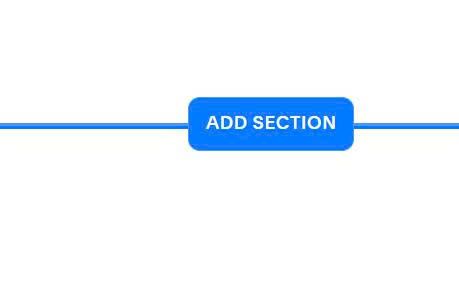
First, you need to add Section
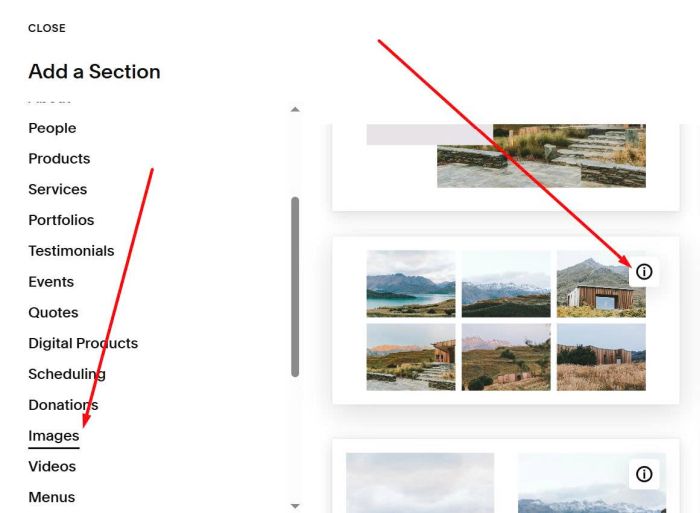
Choose Images > Choose section with (i) icon
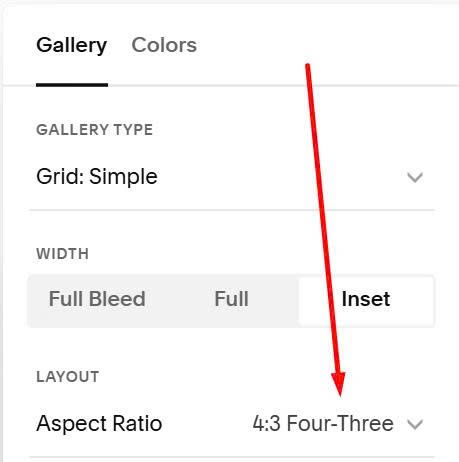
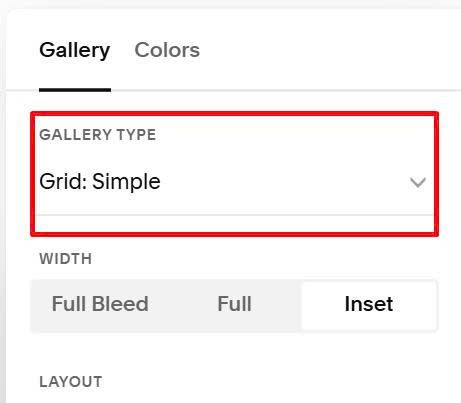
Make sure you choose Grid: Simple
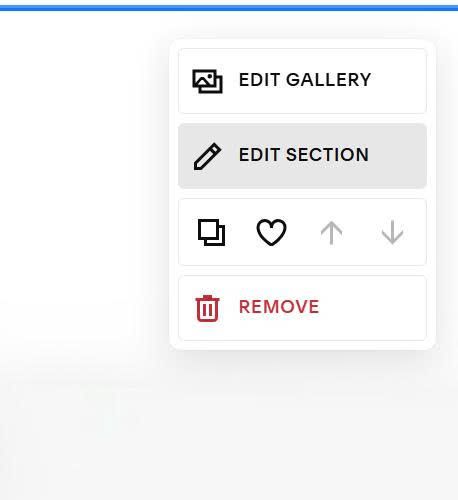
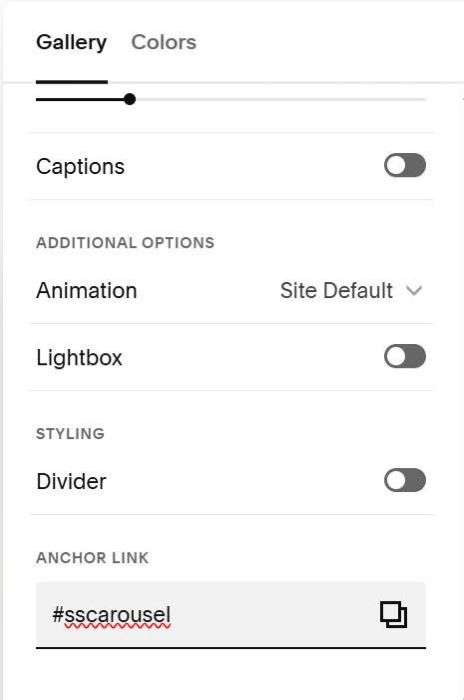
Hover on top right of section > Click Edit Section
Enter word: sscarousel
sscarousel
#3. Customize
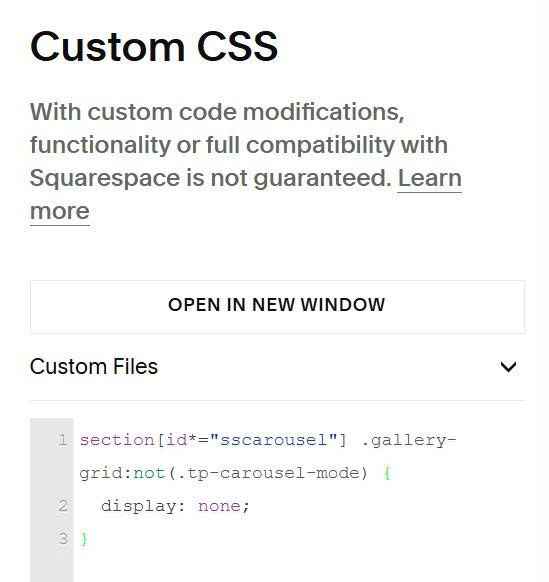
#3.1. To fix Gallery image flash before disappear, you can use this code to Custom CSS
section[id*="sscarousel"] .gallery-grid:not(.tp-carousel-mode) {
  display: none;
}
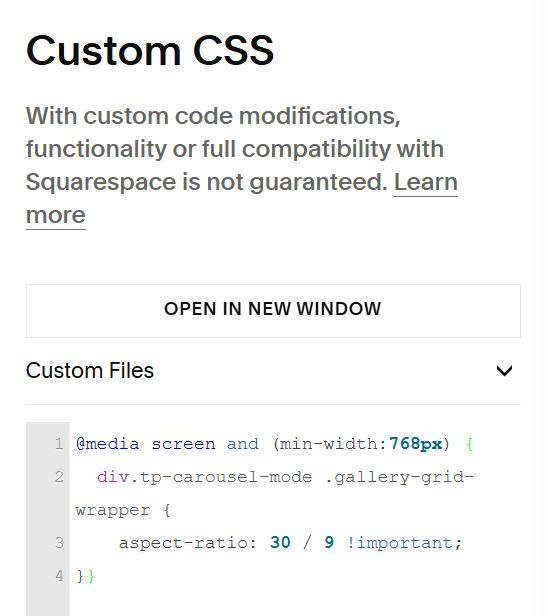
#3.2. To reduce space on top/bottom of carousel, you can use this to Custom CSS
@media screen and (min-width:768px) {
  div.tp-carousel-mode .gallery-grid-wrapper {
    aspect-ratio: 30 / 9 !important;
}}
#3.3. To change PREV, NEXT text, change these lines.
#3.4. To remove box shadow around images, you can use this to Custom CSS
div.tp-carousel-mode .gallery-grid-item {
    box-shadow: none !important;
}
#3.5. To unset rounded corners of images, use this to Custom CSS.
div.tp-carousel-mode .gallery-grid-item {
    border-radius: 0 !important;
}
#3.6. To change PREV, NEXT text style, use this to Custom CSS.
div.tp-cursor {
    background-color: #000 !important;
    color: #fff !important;
    font-size: 12px !important;
}
#3.7. To change ratio of image, you can change this option