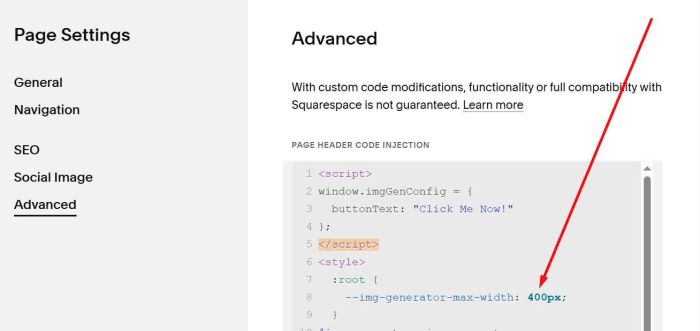
Description
- generate image on button click
- view demo – password: abc
#1. Install code
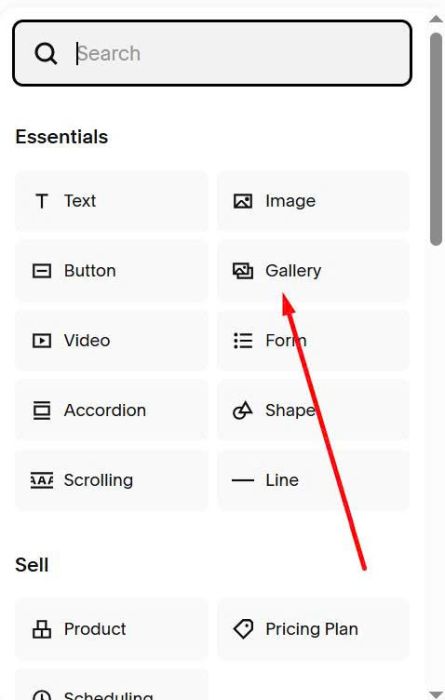
#1.1. First you need to add a Gallery Block
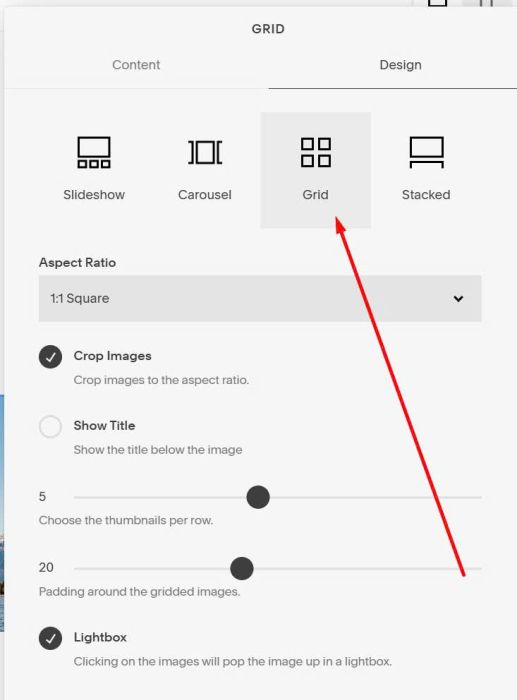
Next, choose Grid
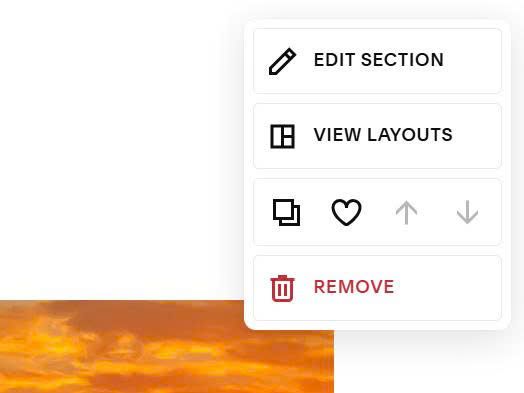
#1.2. Next, hover on top right of section > Click Edit Section
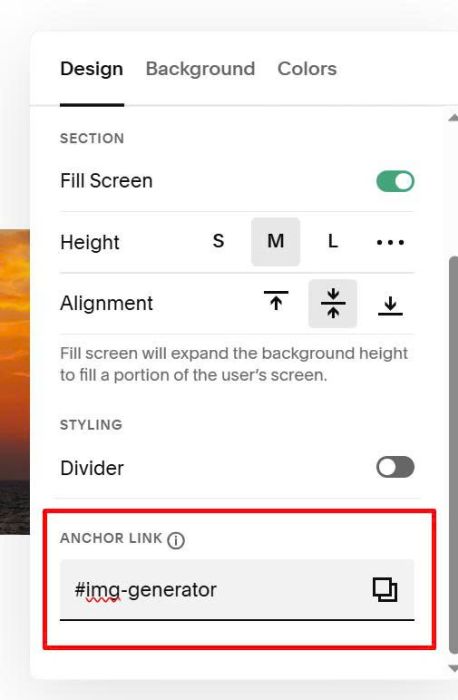
At Anchor Link, enter word: img-generator
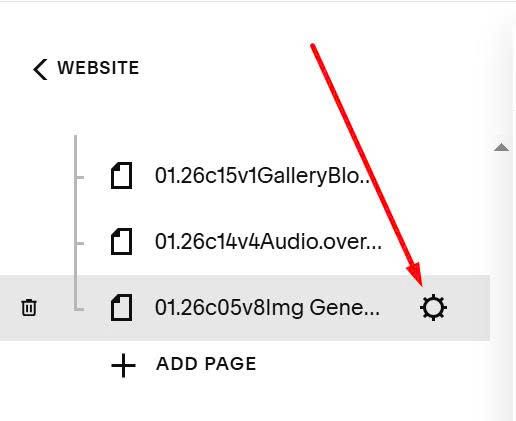
#1.3. Hover on page where you use Gallery Block > Click Gear icon
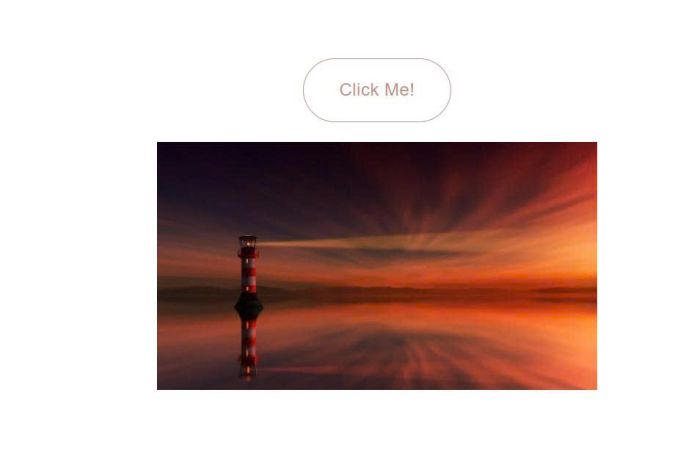
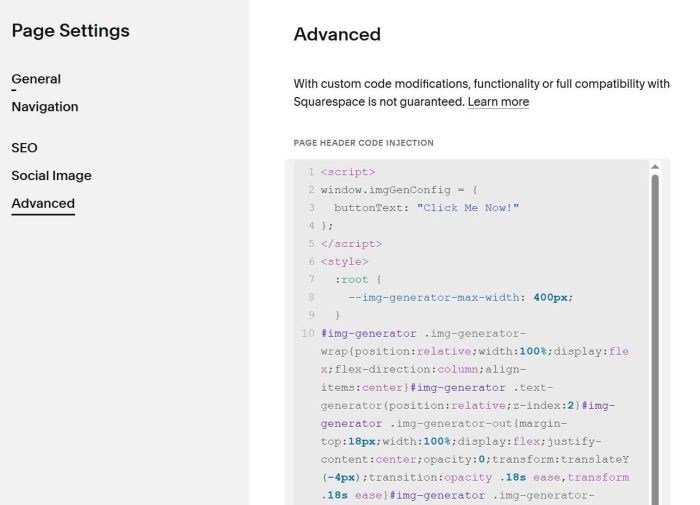
Click Advanced > Paste this code
<script>
window.imgGenConfig = {
  buttonText: "Click Me Now!"
};
</script>
<style>
  :root {
  	--img-generator-max-width: 400px;
  }
#img-generator .img-generator-wrap{position:relative;width:100%;display:flex;flex-direction:column;align-items:center}#img-generator .text-generator{position:relative;z-index:2}#img-generator .img-generator-out{margin-top:18px;width:100%;display:flex;justify-content:center;opacity:0;transform:translateY(-4px);transition:opacity .18s ease,transform .18s ease}#img-generator .img-generator-out.is-on{opacity:1;transform:translateY(0)}#img-generator .img-generator-out img{display:block;width:100%;height:auto;max-width:var(--img-generator-max-width)}@media(max-width:767px){#img-generator .img-generator-out img{width:100%}}#img-generator .img-generator-hidden{display:none!important}
</style>
<script>
document.addEventListener("DOMContentLoaded",(function(){const t=document.getElementById("img-generator");if(!t)return;const e=t.closest("section")||t.closest(".page-section")||t.parentElement;if(!e)return;if(e.querySelector(".img-generator-wrap"))return;const n=e.querySelector(".gallery-block");if(!n)return;const r=document.createElement("div");r.className="img-generator-wrap";const o=document.createElement("button");o.type="button",o.className="btn btn--border theme-btn--primary-inverse sqs-button-element--primary text-generator",o.textContent=window.imgGenConfig?.buttonText||"Click Me!";const s=document.createElement("div");function c(t){return t?(t.split(",")[0]||"").trim().split(" ")[0]:""}function i(){const t=[];e.querySelectorAll("img").forEach((e=>{const n=e.getAttribute("data-src")||e.getAttribute("src")||e.currentSrc||"",r=c(e.getAttribute("data-srcset")||e.getAttribute("srcset"));n&&t.push(n),r&&t.push(r)})),e.querySelectorAll("source").forEach((e=>{const n=c(e.getAttribute("srcset"));n&&t.push(n)})),e.querySelectorAll("*").forEach((e=>{const n=function(t){const e=String(t||"").match(/url\(["']?([^"')]+)["']?\)/);return e?e[1]:""}(e.style.backgroundImage);n&&t.push(n)}));const n=[],r=new Set;return t.forEach((t=>{const e=t.replace(/(\?.*)$/,"");e&&!r.has(e)&&(r.add(e),n.push(t))})),n}s.className="img-generator-out",s.setAttribute("aria-live","polite"),r.appendChild(o),r.appendChild(s),n.parentNode.insertBefore(r,n),n.classList.add("img-generator-hidden");let a=i(),l=-1;o.addEventListener("click",(function(){if(a.length||(a=i()),!a.length)return;const t=a[function(){if(1===a.length)return 0;let t=Math.floor(Math.random()*a.length);return t===l&&(t=(t+1)%a.length),l=t,t}()];s.classList.remove("is-on"),requestAnimationFrame((()=>{s.innerHTML=`<img src="${t}" alt="">`,requestAnimationFrame((()=>s.classList.add("is-on")))}))}))}));
</script>
#2. Customize
#2.1. To change button text, change this line
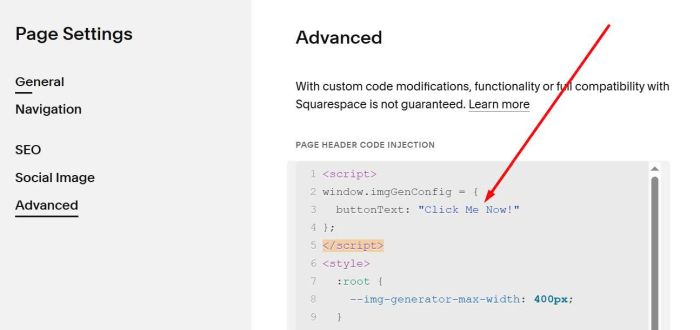
#2.2. To change image size, change this line